
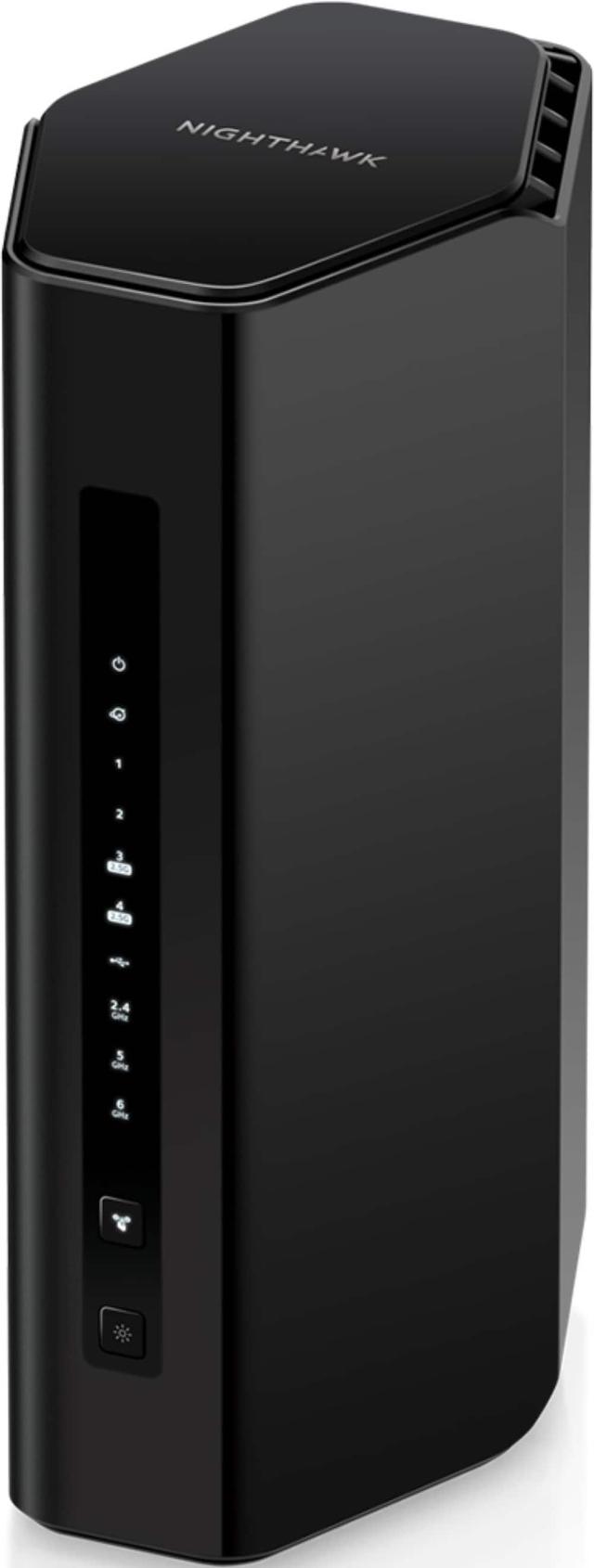
Netgear Nighthawk RS300
Expert rating7.5 / 10
- WiFi Standard:
- WiFi 7
- Router Type:
- Standalone
- Band Configuration:
- Tri-Band
- Speed Rating:
- BE9300 (marketed BE10000)
- WAN Ports:
- 1x 2.5GBASE-T
- LAN Ports:
- 2x 2.5GBASE-T
- Security:
- Netgear Armor (subscription required for full features)
- Price:
- ~$330 at launch
Consumercarts is reader-supported. Learn more
Disclaimer: The price and specification of the given product may differ from the actual product. Please confirm on the retailer's website before buying.
Manufacturer: Netgear Last updated: September 10, 2026
Netgear Nighthawk RS300 (WiFi 7/Standalone Router/Budget Mid-Range/Netgear Armor Subscription) Review
The Netgear Nighthawk RS300 is a tri-band WiFi 7 standalone router rated BE9300 (marketed as BE10000), positioned as Netgear's more affordable entry into WiFi 7 rather than the flagship RS700S we already carry. Actual throughput is capped around 2.5Gbps by its port configuration rather than its wireless radios, worth knowing if you have a genuinely fast multi-gig internet plan you're hoping to fully utilize.
It's the pick for buyers who want WiFi 7 and the Nighthawk ecosystem at a meaningfully lower price than the flagship tier. It is not the right choice for buyers with multi-gig internet plans who want their wired ports to actually keep pace with their wireless speeds.
Wireless Performance
Up to 5760Mbps on 6GHz and 2880Mbps on 5GHz gives solid tri-band WiFi 7 speeds for the price tier, though the router's 2.5GBASE-T port ceiling means you won't fully exploit those wireless numbers over a wired multi-gig connection without an upgrade path.
Build and Design
Port layout leans budget-conscious: one 2.5GBASE-T WAN port, two 2.5GBASE-T LAN ports, two Gigabit LAN ports, and USB 3.0, a mixed Multi-Gig/Gigabit approach rather than the all-Multi-Gig layout of pricier competitors like our TP-Link Archer BE800.
Security and Subscriptions
Standard network settings and dynamic DNS are included at no cost, Netgear Armor's fuller protection suite and parental controls require a paid subscription through the Nighthawk app, the same subscription model used across Netgear's other routers we carry, including the Orbi mesh line.
Comparison to Sibling Products
Against our own Netgear Nighthawk RS700S, the RS700S is the clear flagship choice for buyers with genuinely fast multi-gig plans, the RS300 is the budget-conscious pick for buyers who want WiFi 7 branding and Nighthawk software without flagship pricing or port speeds. Against our TP-Link Archer BE800 at a similar or higher price point, the Archer BE800's all-Multi-Gig port layout is the stronger wired option, the RS300 wins mainly on lower upfront cost.
Specifications
Identity
| Brand | Netgear |
|---|
Wireless
| WiFi Standard | WiFi 7 |
|---|---|
| Router Type | Standalone |
| Band Configuration | Tri-Band |
| Model | Nighthawk RS300 |
|---|---|
| Speed Rating | BE9300 (marketed BE10000) |
| WAN Ports | 1x 2.5GBASE-T |
| LAN Ports | 2x 2.5GBASE-T, 2x Gigabit |
| USB | 1x USB 3.0 |
| Security | Netgear Armor (subscription required for full features) |
| Price | ~$330 at launch |
Expert Review
Reviewed by Burooj Alam. Rated by us, not by users.
Expert rating7.5 / 10
An affordable WiFi 7 entry into the Nighthawk ecosystem, held back by a 2.5Gbps port ceiling that caps real multi-gig use.
Best for
- Buyers wanting WiFi 7 and the Nighthawk ecosystem at a meaningfully lower price than Netgear's flagship RS700S.
Not for
- Buyers with genuinely fast multi-gig internet plans, this router's port ceiling won't let you fully use that speed.
FAQs
What are the key specifications of the Netgear Nighthawk RS300 (WiFi 7/Standalone Router/Budget Mid-Range/Netgear Armor Subscription)?
The Netgear Nighthawk RS300 (WiFi 7/Standalone Router/Budget Mid-Range/Netgear Armor Subscription) is a router from Netgear. Key specs: WiFi Standard WiFi 7, Router Type Standalone, Band Configuration Tri-Band, Speed Rating BE9300 (marketed BE10000), WAN Ports 1x 2.5GBASE-T.
Will the Netgear Nighthawk RS300 (WiFi 7/Standalone Router/Budget Mid-Range/Netgear Armor Subscription) work with my current setup?
The Netgear Nighthawk RS300 (WiFi 7/Standalone Router/Budget Mid-Range/Netgear Armor Subscription) lists WiFi Standard is WiFi 7. Check that against the hardware you already own before buying, since this is the field that most often decides whether a part fits.
Who is the Netgear Nighthawk RS300 (WiFi 7/Standalone Router/Budget Mid-Range/Netgear Armor Subscription) best suited to?
It suits buyers wanting wifi 7 and the nighthawk ecosystem at a meaningfully lower price than netgear's flagship rs700s..
What are the drawbacks of the Netgear Nighthawk RS300 (WiFi 7/Standalone Router/Budget Mid-Range/Netgear Armor Subscription)?
It is a poor fit for buyers with genuinely fast multi-gig internet plans, this router's port ceiling won't let you fully use that speed..
Compare and read more
- Acer Predator Connect Wave 7 (WiFi 7/Mesh System/Large Range Potential/Predator Gaming Design) vs Netgear Nighthawk RS300 (WiFi 7/Standalone Router/Budget Mid-Range/Netgear Armor Subscription)
- Amazon eero 7 (WiFi 7/Mesh System/2-Pack/Dual-Band/TrueMesh Routing) vs Netgear Nighthawk RS300 (WiFi 7/Standalone Router/Budget Mid-Range/Netgear Armor Subscription)
- Amazon eero 6+ (WiFi 6/Mesh System/4,500 sq ft 3-Pack/$299.99/Gigabit Coverage) vs Netgear Nighthawk RS300 (WiFi 7/Standalone Router/Budget Mid-Range/Netgear Armor Subscription)
- Amazon eero Max 7 (WiFi 7/Mesh System/Flagship Premium/Optional eero Plus) vs Netgear Nighthawk RS300 (WiFi 7/Standalone Router/Budget Mid-Range/Netgear Armor Subscription)
- Amazon eero Pro 6E (WiFi 6E/Mesh System/Tri-Band/Zigbee Smart Home Hub/AXE5400) vs Netgear Nighthawk RS300 (WiFi 7/Standalone Router/Budget Mid-Range/Netgear Armor Subscription)