
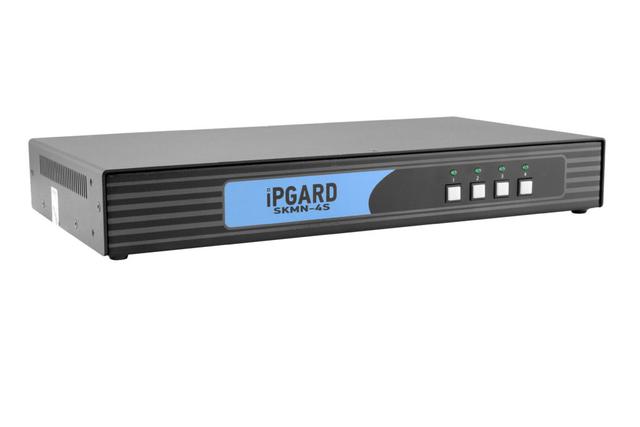
SmartAVI SKMN-4S 4-Port Secure KM Switch with KB/Mouse USB Emulation
Expert rating7.6 / 10
- Port Count:
- 4
- Video Standard:
- N/A (KM only, no video)
Consumercarts is reader-supported. Learn more
Disclaimer: The price and specification of the given product may differ from the actual product. Please confirm on the retailer's website before buying.
Manufacturer: SmartAVI Last updated: 2026-09-12
SmartAVI SKMN-4S 4-Port Secure KM Switch with KB/Mouse USB Emulation Review
SmartAVI SKMN-4S secure 4-port KM switch keyboard mouse USB emulation classified government office isolated peripheral sharing NIAP compliant
The SKMN-4S lets one keyboard and mouse control four isolated computers without ever routing video through the switch, so it fits desks where only peripheral sharing is needed and each PC's display stays on its own dedicated monitor or matrix feed. USB emulation means each host sees a persistent, well-behaved keyboard/mouse even while switching, avoiding the driver re-enumeration hiccups cheaper KM switches cause.
What KM-Only Switching Buys You
Because the SKMN-4S never touches the video path, it sidesteps the biggest attack surface in a secure KVM: shared display buffers. Agencies running four independently air-gapped networks that already have dedicated monitors per system can add single-keyboard convenience without expanding the switch's certification scope to include video isolation at all.
USB Emulation in Practice
Each connected computer sees a constant, emulated keyboard and mouse identity regardless of which physical port is active, so there's no USB re-enumeration delay or driver prompt when the operator presses the front-panel selector. This matters in SCIFs and NOCs where a hung USB stack mid-shift is not an acceptable failure mode.
Comparison to Alternatives
Where the Belkin F1DN102KVM-UN and Vertiv Avocent SwitchView SC920 both switch full video plus peripherals for 2 computers, the SKMN-4S trades video switching for twice the port count at a lower price point, making it the better pick when displays are already dedicated per system. Step up to the SmartAVI SKMN-4S-P if a CAC/smart-card reader path is also required.
Our verdict
Reviewed by Burooj Alam. Rated by us, not by users.
Expert rating7.6 / 10
A focused, affordable KM-only secure switch — buy it when your video paths are already separate and you just need one keyboard/mouse across four isolated hosts.
Best for
- Multi-network SOC desks with dedicated per-system monitors
- Classified facilities standardizing on isolated USB HID switching
- Budget-conscious 4-system secure desks that don't need CAC pass-through
Not for
- Environments requiring CAC or smart card authentication switching
- Desks needing shared video/display switching, not just KM
- Single-computer or two-computer setups better served by simpler switches
Specifications
What these specs meanDesign
| Port Count | 4 |
|---|---|
| Switching Method | Front-panel pushbutton |
Topology
| KVM Segment | Secure |
|---|
Video & Features
| Video Standard | N/A (KM only, no video) |
|---|---|
| USB Hub Ports | 2 |
| Audio Support | No |
In the box and price
| Price | 486.75 USD |
|---|
FAQs
What are the key specifications of the SmartAVI SKMN-4S 4-Port Secure KM Switch with KB/Mouse USB Emulation?
The SmartAVI SKMN-4S 4-Port Secure KM Switch with KB/Mouse USB Emulation is a KVM switch from SmartAVI. Key specs: Port Count 4, Switching Method Front-panel pushbutton, Video Standard N/A (KM only, no video), Max Resolution N/A, USB Hub Ports 2.
Who is the SmartAVI SKMN-4S 4-Port Secure KM Switch with KB/Mouse USB Emulation best suited to?
Best suited to: Multi-network SOC desks with dedicated per-system monitors; Classified facilities standardizing on isolated USB HID switching; Budget-conscious 4-system secure desks that don't need CAC pass-through.
What are the drawbacks of the SmartAVI SKMN-4S 4-Port Secure KM Switch with KB/Mouse USB Emulation?
Not the best fit for: Environments requiring CAC or smart card authentication switching; Desks needing shared video/display switching, not just KM; Single-computer or two-computer setups better served by simpler switches.
Compare and read more
- Adder AdderView PRO AV4PRO (4-8 Computers / 1-4 Monitors / DVI-VGA / Modular Multi-Head) vs SmartAVI SKMN-4S 4-Port Secure KM Switch with KB/Mouse USB Emulation
- Adder ALIF1104T (HDMI KVM-over-IP Transmitter over 1GbE) vs SmartAVI SKMN-4S 4-Port Secure KM Switch with KB/Mouse USB Emulation
- Adder AdderLink IPEPS (IPEPS) (1 Server / IP-Based Remote KVM over IP / Single-Port Extender) vs SmartAVI SKMN-4S 4-Port Secure KM Switch with KB/Mouse USB Emulation
- Adder ALIF1002P (Network DVI Extender Transmitter & Receiver) vs SmartAVI SKMN-4S 4-Port Secure KM Switch with KB/Mouse USB Emulation
- Adder ADDERView PRO (AV4PRO-DVI) (4 Computers / DVI / Secure Desktop KVM) vs SmartAVI SKMN-4S 4-Port Secure KM Switch with KB/Mouse USB Emulation
- Does a KVM Switch Work With Two Different Monitors?
- Best KVM Switches (2026 Buying Guide)