
Consumercarts is reader-supported. Learn more
ATEN UH3238 USB-C Dual Monitor Dock vs Belkin Thunderbolt 4 Dock Pro: Comparison
ATEN UH3238 USB-C Dual Monitor Dock and Belkin Thunderbolt 4 Dock Pro separate most on total ports: ATEN UH3238 USB-C Dual Monitor Dock at 7, Belkin Thunderbolt 4 Dock Pro at 12, 42% in favour of Belkin Thunderbolt 4 Dock Pro.
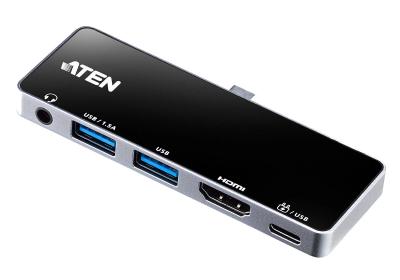

Specs
| Specification |  |  |
|---|---|---|
| Connection Type | USB-C (fanless, with KVM-style input switching) | Thunderbolt 4 |
| Port Configuration | 1x USB-C upstream, 2x DisplayPort, 3x USB-A, 1x GbE, physical KVM switch button | 1x TB4 host, 1x TB4 downstream 40Gbps, 2x HDMI 2.0, 1x USB-C 10Gbps, 2x USB-A 3.1, 2x USB-A 2.0, 1GbE, SD 4.0, 3.5mm combo audio |
| Max Display Support | Dual display | 1x 8K@30Hz or 2x 4K@60Hz |
| Total Ports | 7-42% | 12 |
| Power Delivery | 90W host charging | 90 W |
| Ethernet | Yes (GbE) | Yes |
| Brand | ATEN | Belkin |
| Model | UH3238 | Thunderbolt 4 Dock Pro |
Verdict
ATEN UH3238 USB-C Dual Monitor Dock
7 / 10 Expert Rating
A distinctive pick for anyone who regularly switches one monitor setup between two computers.
Belkin Thunderbolt 4 Dock Pro
8 / 10 Expert Rating
The second true Thunderbolt 4 port and dual HDMI make this the flexible pick for multi-peripheral desks.
More comparisons in Docking Stations and USB-C Hubs
- Anker 575 USB-C Hub vs ATEN UH3238 USB-C Dual Monitor Dock
- ATEN UH3238 USB-C Dual Monitor Dock vs Razer USB4 Dock
- Belkin Thunderbolt 4 Dock Pro vs Dell Universal Dock UD22
- Belkin Thunderbolt 4 Dock Pro vs StarTech.com 2-Port Thunderbolt 4 Hub
- ATEN UH3238 USB-C Dual Monitor Dock vs Lenovo Legion Gen 2 USB-C Gaming Dock
- ATEN UH3238 USB-C Dual Monitor Dock vs Satechi USB4 Pro Hub