
Consumercarts is reader-supported. Learn more
Acer Nitro XV320QU vs Gigabyte M32U: Comparison
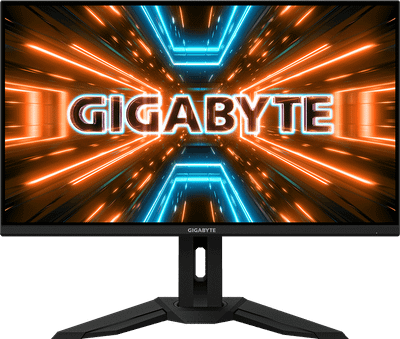
Acer Nitro XV320QU and Gigabyte M32U separate most on refresh rate: Acer Nitro XV320QU at 170 Hz, Gigabyte M32U at 144 Hz, 15% in favour of Acer Nitro XV320QU. They match on panel type, screen size and aspect ratio.

Specs
| Specification |  |  |
|---|---|---|
| Panel Type | IPS | IPS |
| Brand | Acer | Gigabyte |
| Model Number | XV320QU | M32U |
| Screen Size | 32 | 32 |
| Resolution | 2560 x 1440 (QHD) | 3840 x 2160 (4K UHD) |
| Aspect Ratio | 16:9 | 16:9 |
| Refresh Rate | 170 Hz | 144 Hz-15% |
| Response Time | 1ms (VRB) | 1ms (MPRT) |
| Adaptive Sync | AMD FreeSync Premium, G-Sync Compatible | AMD FreeSync Premium Pro, G-Sync Compatible |
| Series | Nitro | Gigabyte Gaming M32U |
| Color Gamut | ~95%+ DCI-P3 | ~94% DCI-P3 |
| HDR Formats | HDR10 | VESA DisplayHDR 400 |
Verdict
Acer Nitro XV320QU
7.8 / 10 Expert Rating
A practical, larger-format value gaming monitor whose built-in KVM switch adds real convenience for dual-PC users.
Gigabyte M32U
8.8 / 10 Expert Rating
One of the best value 32-inch 4K/144Hz gaming monitors available, combining strong specs with genuinely useful connectivity.