
Consumercarts is reader-supported. Learn more
Dell (Alienware) Alienware AW2725Q vs ASUS TUF Gaming VG27AQL3A: Comparison
Dell (Alienware) Alienware AW2725Q and ASUS TUF Gaming VG27AQL3A separate most on response time: Dell (Alienware) Alienware AW2725Q at 0.03 ms, ASUS TUF Gaming VG27AQL3A at 1 ms, 3233% in favour of Dell (Alienware) Alienware AW2725Q. Refresh Rate splits them by another 25%, again favouring Dell (Alienware) Alienware AW2725Q. They match on aspect ratio, hdr support and pivot to portrait.
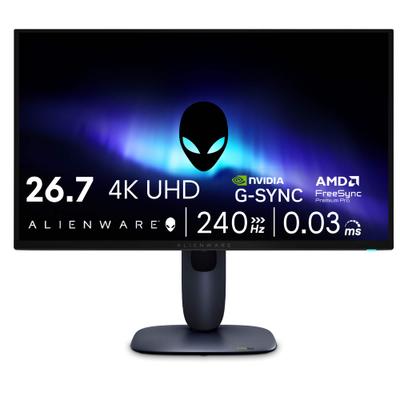
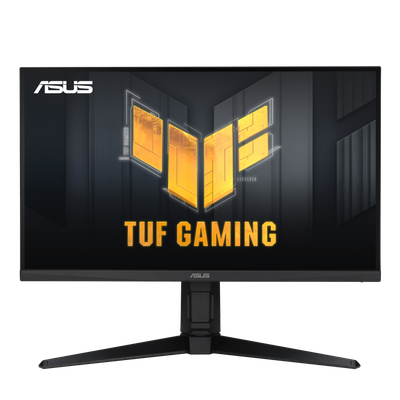
Specs
| Specification |  |  |
|---|---|---|
| Panel Type | QD-OLED | IPS |
| Brand | Alienware | ASUS |
| Model Number | AW2725Q | VG27AQL3A |
| Screen Size | 26.7 in-1% | 27 in |
| Resolution | 3840 x 2160 (4K UHD) | 2560 x 1440 (QHD) |
| Panel Technology | QD-OLED | IPS |
| Aspect Ratio | 16:9 | 16:9 |
| Refresh Rate | 240 Hz | 180 Hz-25% |
| Response Time | 0.03 ms | 1 ms-3233% |
| Adaptive Sync | AMD FreeSync Premium Pro, NVIDIA G-Sync Compatible, VESA AdaptiveSync | Adaptive-Sync, AMD FreeSync, G-Sync Compatible |
| HDR Support | Yes | Yes |
| Native Resolution | 3840x2160 | 2560x1440 |
| Max Refresh Rate | 240 Hz | 180 Hz-25% |
| Response Time GtG | 0.03 ms | 1 ms |
| VRR Standard | FreeSync Premium Pro | G-Sync Compatible |
| HDR Certification | DisplayHDR True Black 400 | DisplayHDR 400 |
| DCI-P3 Coverage | 99 % | 96 % |
| DisplayPort Version | 1.4 DSC | 1.4 |
| Pivot To Portrait | Yes | Yes |
| Series | Alienware AW2725Q | TUF Gaming |
| Color Gamut | 99% DCI-P3 | 130% sRGB, 96% DCI-P3 |
| HDR Formats | HDR10, Dolby Vision | HDR10 |
| Source URL | https://pcmonitors.info/dell/dell-alienware-aw2725q-240hz-qd-oled-with-hdmi-2-1/ ; https://tftcentral.co.uk/news/dell-alienware-aw2725q-announced-with-a-27-4k-240hz-qd-oled-panel | https://www.asus.com/displays-desktops/monitors/tuf-gaming/tuf-gaming-vg27aql3a/techspec/ |
Verdict
ASUS TUF Gaming VG27AQL3A
8 / 10 Expert Rating
A well-rounded value 1440p gaming monitor whose ELMB Sync feature outperforms its price point.
More comparisons in Monitors
- Dell (Alienware) Alienware AW2725Q vs Arzopa Z1FC
- Dell (Alienware) Alienware AW2725Q vs Philips Momentum 275M8
- Dell (Alienware) Alienware AW2725Q vs LG UltraGear 32GS95UE-B
- Dell (Alienware) Alienware AW2725Q vs ViewSonic ColorPro VP2786-4K
- Dell (Alienware) Alienware AW2725Q vs Dell G2724D
- Dell (Alienware) Alienware AW2725Q vs ViewSonic XG2431