
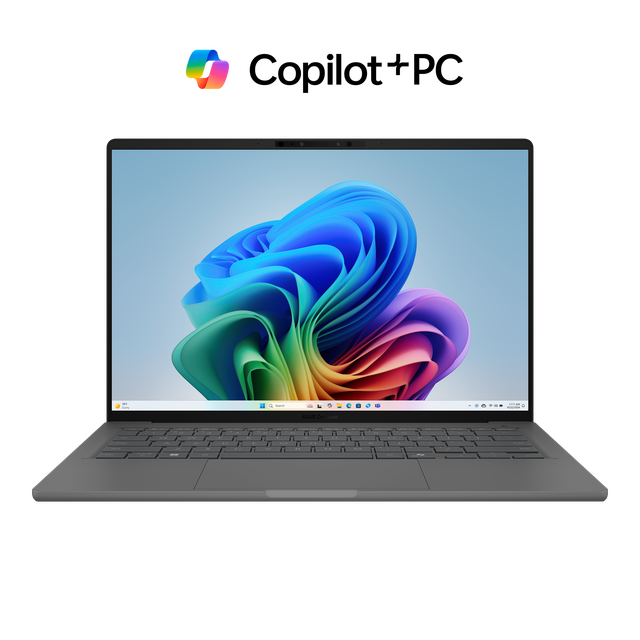
ASUS Zenbook A14 UX3407RA
- CPU:
- Snapdragon X Elite X1E-78-100
- GPU:
- Qualcomm Adreno X1-85
- RAM:
- 32GB LPDDR5X
- Display:
- 14" 1920x1200 OLED 60Hz
Upgrade and repair this laptop
Consumercarts is reader-supported. Learn more
Disclaimer: The price and specification of the given product may differ from the actual product. Please confirm on the retailer's website before buying.
Manufacturer: ASUS Last updated: 2026-09-30
ASUS Zenbook A14 UX3407RA Review
The ASUS Zenbook A14 UX3407RA is a 14-inch thin and light laptop from 2025 built around the Qualcomm Snapdragon X Elite X1E-78-100. The screen is a 1920x1200 OLED panel at 60Hz. It weighs 0.98 kg.
What it does well: an OLED screen and a light 0.98 kg body. What holds it back: soldered memory.
Processor performance
The Qualcomm Snapdragon X Elite X1E-78-100 has 12 cores, boosting to 3.4 GHz. That is enough for 4K editing, code builds and heavy multitasking. Its NPU is rated at 45 TOPS for on-device AI features.
Across the 9 systems NotebookCheck has tested with the Qualcomm Snapdragon X Elite X1E-78-100, it averages 893 points in Cinebench 2024 multi-core (range 746 to 1,132) and 107.1 single-core. Where this laptop lands in that range depends on how much power it lets the chip draw. Under a long all-core load the X Elite held about 2.55 GHz, and the Standard fan mode kept almost the same clock as Full-speed while running the fans more quietly.
Graphics and gaming
Graphics come from the integrated Qualcomm Adreno X1-85. It handles video playback, photo edits and lighter or older games at modest settings.
Gaming (average across systems). These are NotebookCheck's average frame rates for the Qualcomm Adreno X1-85 3.8 TFLOPS across every system it has tested with this GPU, not this laptop alone. Power limits differ between laptops, so this one can land above or below the average.
| Game | Settings | Average fps | Systems tested |
|---|---|---|---|
| Cyberpunk 2077 | Medium, 1080p | 19 | 14 |
| Cyberpunk 2077 | High, 1080p | 16 | 13 |
| Baldur's Gate 3 | Medium, 1080p | 20 | 11 |
| Baldur's Gate 3 | High, 1080p | 17 | 11 |
| GTA V | High, 1080p | 47 | 13 |
Memory, storage and upgrades
Memory: fixed. 32GB of LPDDR5X is soldered to the board, so buy the amount you will need for the life of the laptop.
Storage: replaceable. One M.2 slot, already in use (M.2 2280), M.2 NVMe PCIe 4.0 x4.
Getting inside takes ten Torx screws and careful prying; the RAM is soldered, the single M.2 2280 slot takes Gen 4 drives with no thermal pad, and the bottom cover has dust filters in front of each vent.
Display
The 14-inch OLED panel runs at 1920x1200 (162 pixels per inch) and 60Hz. LaptopMedia measured 384 nits with the near-infinite contrast OLED is known for. Color coverage is 100% sRGB and 100% P3, good enough for photo and video work. No PWM flicker was detected.
Out of the box the OLED tracks the Display P3 space very closely, with an average color error below 1 dE, making it usable for color-sensitive work.
Windows on Arm
The Qualcomm Snapdragon X Elite X1E-78-100 is an Arm chip, so apps built for Arm run natively and older x86 Windows apps run through Microsoft's Prism emulation layer. Check that any games with anti-cheat, older printers or VPN clients, and niche drivers you depend on support Windows on Arm before buying.
Thermals and noise
The chip reached about 92 degrees Celsius in medium-length loads, yet the keyboard never got uncomfortably hot and the two fans stayed fairly quiet even at full speed. Hot air exits through two rear vents that sit behind the hinge cover, so very little of it blows onto the screen.
Battery life
The battery is 70Wh, larger than 57% of the thin and light laptops we list.
Design and build
Materials: Ceraluminum (ceramic and aluminum composite) chassis. At 0.98 kg it is lighter than 98% of the thin and light laptops we list. It measures 310.7x213.9x13.4-15.9 mm. NotebookCheck measured a maximum opening angle of about 135 degrees on the Snapdragon X version of this chassis and found the hinges slightly too smooth, allowing a little rocking.
The Ceraluminum shell lives up to its smudge-free claim, showing only faint fingerprints after two days of use, and the lid is light enough to open with one finger.
Keyboard and touchpad
The chiclet keyboard has large keycaps with 1.3 mm of travel and a clicky, typing-friendly feedback, although the arrow keys are tiny and the smudge-resistant coating is not very grippy. Backlight: White.
The precision touchpad is big, wide, smooth and accurate. Sign-in: IR webcam with Windows Hello face login.
Ports and connectivity
It has USB4, which runs docks, fast external drives and displays over one cable. It charges over USB-C.
Full list: 2x USB4 USB-C (40Gbps, DisplayPort, Power Delivery), left side, 1x USB-A 3.2 Gen 2 (10Gbps), right side, 1x HDMI 2.1, 1x 3.5mm combo audio jack. Wireless: Wi-Fi 7 and Bluetooth 5.4.
Wi-Fi 7 and the larger 90W charger are reserved for the X Elite model, while lower-end Snapdragon X and X Plus versions ship with Wi-Fi 6E and a 65W adapter. The right side holds only a single USB-A port and there is no card reader, and since this runs Windows on Arm, some apps may not be compatible, so check your software first.
Webcam, speakers and extras
Webcam: 1080p FHD with IR and 3D noise reduction. Speakers: Stereo speakers with Smart Amp (ASUS); LaptopMedia mentions Dolby Atmos tuning.
Which configuration to buy
The ASUS Zenbook A14 UX3407RA name covers several builds. Processors: Qualcomm Snapdragon X Elite X1E-78-100, Qualcomm Snapdragon X Plus X1P-42-100 and Qualcomm Snapdragon X X1-26-100. Memory: 16GB or 32GB LPDDR5X on board, not upgradeable. Screens: 14-inch WUXGA 1920x1200 60Hz OLED, non-touch; 14-inch WUXGA 1920x1200 IPS; 14-inch 2880x1800 120Hz OLED. Batteries: 70Wh and 48Wh. Check the exact configuration on the listing before you buy.
No longer the newest version: the ASUS US page now leads with the Zenbook A14 UX3407NA using the Snapdragon X2 Elite X2E-88-100, and NotebookCheck has reviewed that 2026 model, while the X Elite UX3407RA remains listed on the same spec sheet.
Alternatives to consider
- Apple MacBook Pro 14-inch (M5, 16GB, 512GB): Apple M5, heavier at 1.55 kg and a 14.2-inch screen.
- Acer Swift Go 14 SFG14 (Core Ultra 5 125H, 16GB, 512GB): Core Ultra 5 125H, heavier at 1.32 kg.
- ASUS Zenbook 14 OLED UX3405 (Core Ultra 7 155H, 32GB, 1TB): Core Ultra 7 155H, heavier at 1.20 kg.
Sources
Measurements come from LaptopMedia's review unit with the Snapdragon X Elite X1E-78-100, a 1TB SSD and the 1920x1200 60Hz OLED screen.
- LaptopMedia: ASUS Zenbook A14 (UX3407) review, Thin, Light, and Mighty (X1E-78-100 unit)
- ASUS Zenbook A14 (UX3407) Tech Specs (US)
- ASUS Zenbook A14 (UX3407) product page
- NotebookCheck: Asus Zenbook A14 laptop review (UX3407QA, Snapdragon X X1-26-100)
- NotebookCheck reviews collection: Asus ZenBook A14 UX3407RA
- NotebookCheck: Asus Zenbook A14 Laptop Review, Snapdragon X2 Elite against the MacBook Air M5
Our verdict
Reviewed by Burooj Alam. Rated by us, not by users.
Best for
- Photo and video editing on the built-in screen
- Carrying every day
Not for
- Anyone who wants to upgrade memory later
- People sensitive to PWM flicker
Specifications
What these specs meanIdentity and variant
| Brand | ASUS |
|---|---|
| Series | Zenbook A14 |
| Series ID | asus-zenbook-a14-ux3407 |
| SKU Name | ASUS Zenbook A14 UX3407RA (Snapdragon X Elite X1E-78-100, 32GB, 1TB) |
| Chassis Code | UX3407 |
| Region Sold | Global |
Class and platform
| Laptop Class | Thin and Light |
|---|---|
| Release Year | 2025 |
| Operating System | Windows 11 Home |
| Weight | 0.98 kg |
Processor
| CPU Brand | Qualcomm |
|---|---|
| CPU Model | Snapdragon X Elite X1E-78-100 |
| CPU Cores | 12 |
Sustained power
| Sustained Power Source | Not Measured |
|---|---|
| Power Adapter Wattage | 90 W |
Graphics
| GPU Brand | Qualcomm |
|---|---|
| GPU Model | Qualcomm Adreno X1-85 |
| Graphics Switching | Integrated Only |
Memory
| RAM Capacity | 32 GB |
|---|---|
| RAM Type | LPDDR5X |
| Memory Form Factor | Soldered |
| Memory Soldered | Yes |
| Max RAM Supported | 32 GB |
Upgradability
| RAM Slots | 0 |
|---|---|
| RAM Slots Free | 0 |
| Storage Slots | 1 |
| Storage Slots Free | 0 |
| Storage Form Factor | M.2 2280 |
| Storage Interface | PCIe 4.0 x4 |
| SATA Bay Present | No |
Storage as shipped
| Storage Capacity | 1000 GB |
|---|---|
| Storage Type | NVMe SSD |
Display
| Display Size | 14 inches |
|---|---|
| Resolution Width | 1920 px |
| Resolution Height | 1200 px |
| Refresh Rate | 60 Hz |
| Panel Type | OLED |
| Brightness Condition | Vendor Unstated |
| sRGB Coverage | 100 % |
| Touchscreen | No |
Battery and ports
| Battery Capacity | 70 Wh |
|---|---|
| Thunderbolt Support | USB4 |
| WiFi Standard | WiFi 7 |
FAQs
Is the RAM upgradeable on the ASUS Zenbook A14 UX3407RA?
No, it is fixed at purchase; the largest option is 32GB.
Can the storage be upgraded?
There is no free slot, but the existing SSD can be swapped for a larger one.
Does it have Thunderbolt?
Yes, USB4.
Is the screen good for photo editing?
Yes. It covers 100% of sRGB and 100% of P3.
What power adapter comes with it?
A 90W adapter. It can also charge from a USB-C charger.
How much does the ASUS Zenbook A14 UX3407RA weigh?
0.98 kg.