
Consumercarts is reader-supported. Learn more
j5create JCD388 Thunderbolt 4 Dock vs OWC Thunderbolt Dock: Comparison
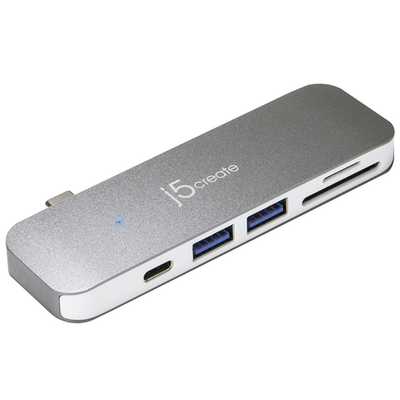
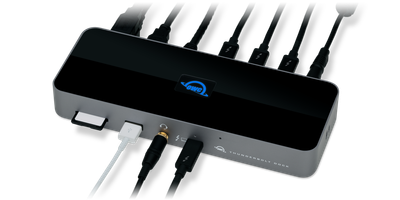
j5create JCD388 Thunderbolt 4 Dock and OWC Thunderbolt Dock separate most on total ports: j5create JCD388 Thunderbolt 4 Dock at 9, OWC Thunderbolt Dock at 11, 18% in favour of OWC Thunderbolt Dock. They match on connection type and max display support.
Specs
| Specification |  |  |
|---|---|---|
| Connection Type | Thunderbolt 4 | Thunderbolt 4 |
| Port Configuration | 2x TB4 40Gbps, 3x USB-A 10Gbps, 1x USB-C 10Gbps, GbE, 3.5mm audio | 4x TB4 (1 host, 3 downstream, 15W), 2x USB-A 10Gbps, 1x USB-A 2.0, SD UHS-II, GbE, 3.5mm combo audio |
| Max Display Support | Dual 4K | Dual 4K |
| Max Display Resolution | Dual 4K@60Hz | Dual 4K@60Hz or single 8K@60Hz |
| Total Ports | 9-18% | 11 |
| Power Delivery | 96W host charging | 96 W |
| Ethernet | Yes (GbE) | Yes |
| Brand | j5create | OWC |
| Model | JCD388 | Thunderbolt Dock (11-Port, OWCTB4DOCK) |
| OS Compatibility | Mac, Windows | macOS 11.1+, Windows 10+ |
| Price | ~$240 | ~$300 |
Verdict
j5create JCD388 Thunderbolt 4 Dock
7 / 10 Expert Rating
A dependable, no-frills Thunderbolt 4 dock that's a reasonable step up from a basic USB-C hub.
OWC Thunderbolt Dock
8 / 10 Expert Rating
A strong Thunderbolt 4 dock for creative professionals who need built-in card readers.
More comparisons in Docking Stations and USB-C Hubs
- j5create JCD388 Thunderbolt 4 Dock vs UGREEN Revodok Pro 210
- j5create JCD388 Thunderbolt 4 Dock vs Razer USB4 Dock
- OWC Thunderbolt Dock vs Sonnet Echo 11 Thunderbolt 4 Dock
- Kensington SD5000T5 EQ vs OWC Thunderbolt Dock
- HP USB-C Dock G5 vs OWC Thunderbolt Dock
- j5create JCD388 Thunderbolt 4 Dock vs Wavlink Universal Docking Station