
Consumercarts is reader-supported. Learn more
Microsoft Surface Dock 2 vs StarTech.com 2-Port Thunderbolt 4 Hub: Comparison
Microsoft Surface Dock 2 and StarTech.com 2-Port Thunderbolt 4 Hub separate most on total ports: Microsoft Surface Dock 2 at 7, StarTech.com 2-Port Thunderbolt 4 Hub at 2, 71% in favour of Microsoft Surface Dock 2.

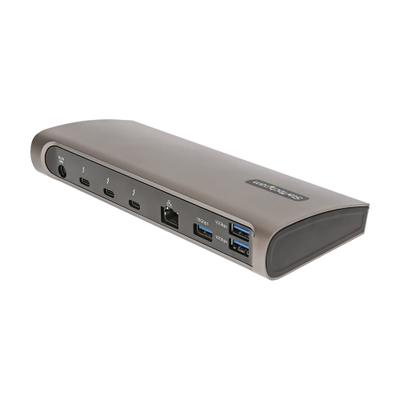
Specs
| Specification |  |  |
|---|---|---|
| Connection Type | Surface Connect | Thunderbolt 4 |
| Port Configuration | 1x Surface Connect host cable, 2x front USB-C 10Gbps (15W), 2x rear USB-C 10Gbps with DP 1.4 Alt Mode, 2x USB-A 10Gbps, 1x GbE, 1x 3.5mm combo audio | 1x TB4 upstream, 1x TB4 downstream (daisy chain / port expansion only) |
| Max Display Support | Dual 4K | None (pass-through only, relies on host GPU) |
| Max Display Resolution | Dual 4K@60Hz | N/A (pass-through) |
| Total Ports | 7 | 2-71% |
| Power Delivery | 120 W | None (no host charging) |
| Ethernet | Yes | No |
| Brand | Microsoft | StarTech.com |
| Model | Surface Dock 2 | 2-Port Thunderbolt 4 Hub |
| OS Compatibility | Windows (Surface devices) | Mac, Windows |
| Price | ~$220 | ~$70 |
Verdict
Microsoft Surface Dock 2
7 / 10 Expert Rating
The right dock only if your fleet is already standardized on Surface hardware.
StarTech.com 2-Port Thunderbolt 4 Hub
5 / 10 Expert Rating
Does exactly one job, adding a second Thunderbolt port, and does it cheaply; not a dock replacement.
More comparisons in Docking Stations and USB-C Hubs
- Dell WD22TB4 vs Microsoft Surface Dock 2
- Belkin Thunderbolt 4 Dock Pro vs StarTech.com 2-Port Thunderbolt 4 Hub
- HP USB-C Dock G5 vs Microsoft Surface Dock 2
- Microsoft Surface Dock 2 vs Wavlink Universal Docking Station
- Microsoft Surface Dock 2 vs UGREEN Revodok Pro 209
- ATEN UH3238 USB-C Dual Monitor Dock vs Microsoft Surface Dock 2