
Consumercarts is reader-supported. Learn more
BenQ Zowie S2 vs SteelSeries Sensei Ten: Comparison
What is the difference between BenQ Zowie S2 and SteelSeries Sensei Ten?
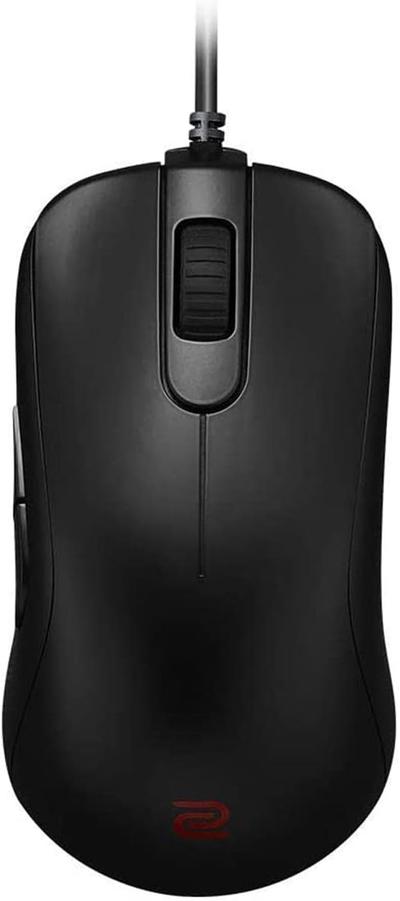
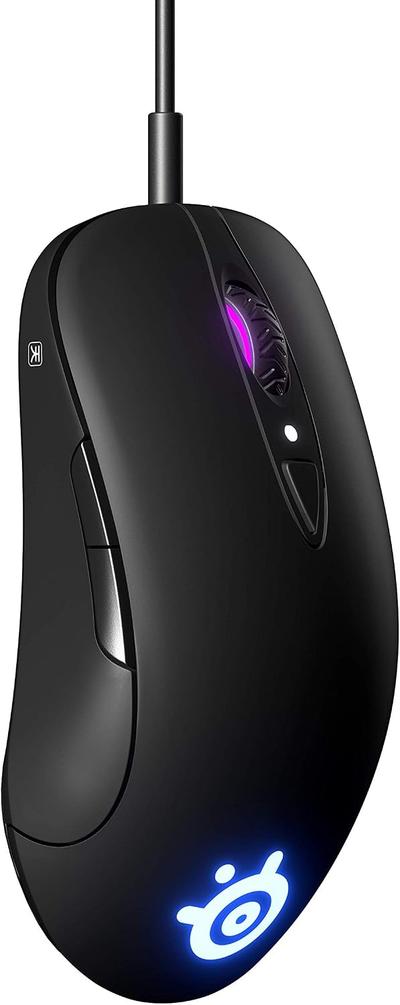
The gap that matters here is max dpi: BenQ Zowie S2 3200 DPI against SteelSeries Sensei Ten 18000 DPI, which puts SteelSeries Sensei Ten 82% ahead. SteelSeries Sensei Ten also leads on buttons, 5 on the BenQ Zowie S2 versus 8 on the SteelSeries Sensei Ten. Add weight to that, 83 g on the BenQ Zowie S2 versus 92 g on the SteelSeries Sensei Ten, and the pattern holds.
Who each one is for
Buy the BenQ Zowie S2 for competitive FPS players who want a driverless, no-RGB mouse and low to medium grip height players (fingertip/claw), though it is not the pick for players who want RGB or onboard profiles and buyers who want a high DPI ceiling for desktop use. The SteelSeries Sensei Ten is the one to take for ambidextrous and left-handed players wanting a flagship sensor and buyers who prefer wired reliability over wireless convenience, though it is the wrong buy for anyone who specifically wants wireless connectivity and ergonomic-shape loyalists. It also earns its place with palm and claw grip users who like a medium-size symmetrical shell. Our rating of the BenQ Zowie S2 (8/10): A no-frills esports mouse built for consistency over features, and a legitimate favorite among competitive CS and Valorant players. Our rating of the SteelSeries Sensei Ten (8/10): A dependable, well-built ambidextrous mouse that suits players who don't want to commit to an ergonomic-only shape.
Frequently asked questions
Do the BenQ Zowie S2 and SteelSeries Sensei Ten differ on sensor model?
Yes. Sensor Model reads PixArt PMW3360 on the BenQ Zowie S2 versus TrueMove Pro Optical on the SteelSeries Sensei Ten.
Is the Polling Rate the same on the BenQ Zowie S2 and SteelSeries Sensei Ten?
It is. Both are listed at 1000 Hz, so it is not a reason to pick one over the other.
Specs and benchmarks
Brand
- BenQ Zowie S2
- BenQ Zowie
- SteelSeries Sensei Ten
- SteelSeries
Connectivity
- BenQ Zowie S2
- Wired
- SteelSeries Sensei Ten
- Wired
Grip Type
- BenQ Zowie S2
- Ambidextrous
- SteelSeries Sensei Ten
- Ambidextrous
Model
- BenQ Zowie S2
- S2
- SteelSeries Sensei Ten
- Sensei Ten
Shape
- BenQ Zowie S2
- Symmetrical
- SteelSeries Sensei Ten
- Symmetrical
Sensor Model
- BenQ Zowie S2
- PixArt PMW3360
- SteelSeries Sensei Ten
- TrueMove Pro Optical
Sensor Tier
- BenQ Zowie S2
- Mid-Range
- SteelSeries Sensei Ten
- Flagship
Max DPI
- BenQ Zowie S2
- 3200 DPI-82%
- SteelSeries Sensei Ten
- 18000 DPIBest
Buttons
- BenQ Zowie S2
- 5-37%
- SteelSeries Sensei Ten
- 8Best
Polling Rate
- BenQ Zowie S2
- 1000 Hz
- SteelSeries Sensei Ten
- 1000 Hz
RGB Lighting
- BenQ Zowie S2
- No
- SteelSeries Sensei Ten
- Yes
Weight
- BenQ Zowie S2
- 83 gBest
- SteelSeries Sensei Ten
- 92 g-11%
Switch Type
- BenQ Zowie S2
- Mechanical
- SteelSeries Sensei Ten
- Mechanical


Which one should you pick?
Choose BenQ Zowie S2 if you want the higher polling rate (1000 Hz vs 1000 Hz) and the lower weight (83 g vs 92 g).
Choose SteelSeries Sensei Ten if you want the higher max DPI (18000 DPI vs 3200 DPI) and the higher buttons (8 vs 5).
Verdict
BenQ Zowie S2
8 / 10 Expert Rating
A no-frills esports mouse built for consistency over features, and a legitimate favorite among competitive CS and Valorant players.
SteelSeries Sensei Ten
8 / 10 Expert Rating
A dependable, well-built ambidextrous mouse that suits players who don't want to commit to an ergonomic-only shape.