
Consumercarts is reader-supported. Learn more
Corsair Dark Core RGB Pro vs Razer Basilisk X HyperSpeed: Comparison
Corsair Dark Core RGB Pro vs Razer Basilisk X HyperSpeed: the weight difference
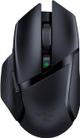
Weight is where these two genuinely part company, Corsair Dark Core RGB Pro 133 g against Razer Basilisk X HyperSpeed 86 g, a 55% lead for Razer Basilisk X HyperSpeed. Buttons runs the same way, 8 on the Corsair Dark Core RGB Pro versus 6 on the Razer Basilisk X HyperSpeed, another win for Corsair Dark Core RGB Pro. There is a split on switch type as well, Omron on the Corsair Dark Core RGB Pro versus Mechanical on the Razer Basilisk X HyperSpeed.
Who each one is for
Buy the Corsair Dark Core RGB Pro for owners of a Qi charging mousepad or Qi charger and right-handed palm grip players wanting a heavier, filled-out shell, though it is not built for players chasing sub-100g weight and left-handed users. The Razer Basilisk X HyperSpeed suits palm grip right-handed users and anyone who prefers replaceable AA batteries over built-in cells, though it is the wrong buy for anyone who wants RGB lighting and left-handed or ambidextrous users. It also earns its place with budget buyers who want wireless without giving up an ergonomic shape. Our rating of the Corsair Dark Core RGB Pro (7/10): great for Qi-charging convenience, but its weight and battery life lag behind dedicated lightweight wireless mice. Our rating of the Razer Basilisk X HyperSpeed (7/10): A solid budget wireless ergonomic mouse for anyone who doesn't need RGB or a rechargeable battery.
Frequently asked questions
Do the Corsair Dark Core RGB Pro and Razer Basilisk X HyperSpeed differ on sensor model?
Yes. Sensor Model reads PixArt PMW3391 Optical, up to 18,000 DPI on the Corsair Dark Core RGB Pro versus Razer Optical on the Razer Basilisk X HyperSpeed.
Is the Polling Rate the same on the Corsair Dark Core RGB Pro and Razer Basilisk X HyperSpeed?
It is. Both are listed at 1000 Hz, so it is not a reason to pick one over the other.


Specs and benchmarks
Brand
- Corsair Dark Core RGB Pro
- Corsair
- Razer Basilisk X HyperSpeed
- Razer
Connectivity
- Corsair Dark Core RGB Pro
- Wireless (2.4GHz SLIPSTREAM), Bluetooth
- Razer Basilisk X HyperSpeed
- Wireless 2.4G
Grip Type
- Corsair Dark Core RGB Pro
- Right-Handed
- Razer Basilisk X HyperSpeed
- Right-Handed
Model
- Corsair Dark Core RGB Pro
- Dark Core RGB Pro
- Razer Basilisk X HyperSpeed
- Basilisk X HyperSpeed
Shape
- Corsair Dark Core RGB Pro
- Ergonomic
- Razer Basilisk X HyperSpeed
- Ergonomic
Sensor Model
- Corsair Dark Core RGB Pro
- PixArt PMW3391 Optical, up to 18,000 DPI
- Razer Basilisk X HyperSpeed
- Razer Optical
Sensor Tier
- Corsair Dark Core RGB Pro
- Mid-High
- Razer Basilisk X HyperSpeed
- Mid-Range
Buttons
- Corsair Dark Core RGB Pro
- 8Best
- Razer Basilisk X HyperSpeed
- 6-25%
Polling Rate
- Corsair Dark Core RGB Pro
- 1000 Hz
- Razer Basilisk X HyperSpeed
- 1000 Hz
RGB Lighting
- Corsair Dark Core RGB Pro
- Yes
- Razer Basilisk X HyperSpeed
- No
Weight
- Corsair Dark Core RGB Pro
- 133 g-55%
- Razer Basilisk X HyperSpeed
- 86 gBest
Battery Life
- Corsair Dark Core RGB Pro
- Up to 50 hours (20 hours with RGB on)
- Razer Basilisk X HyperSpeed
- 285 hBest
Switch Type
- Corsair Dark Core RGB Pro
- Omron
- Razer Basilisk X HyperSpeed
- Mechanical

Which one should you pick?
Choose Corsair Dark Core RGB Pro if you want the higher buttons (8 vs 6) and the higher polling rate (1000 Hz vs 1000 Hz).
Choose Razer Basilisk X HyperSpeed if you want the lower weight (86 g vs 133 g).
Price comparison
| Retailer | Corsair Dark Core RGB Pro | Razer Basilisk X HyperSpeed |
|---|---|---|
| Amazon | View on Amazon | |
| Best Buy | View on Best Buy |
Disclaimer: The price and specification of the given product may differ from the actual product. Please confirm on the retailer's website before buying.
Verdict
Corsair Dark Core RGB Pro
7 / 10 Expert Rating
Great for Qi-charging convenience, but its weight and battery life lag behind dedicated lightweight wireless mice.
Razer Basilisk X HyperSpeed
7 / 10 Expert Rating
A solid budget wireless ergonomic mouse for anyone who doesn't need RGB or a rechargeable battery.