
Consumercarts is reader-supported. Learn more
Acer Nitro XV320QU vs Gigabyte M28U: Comparison
Acer Nitro XV320QU vs Gigabyte M28U refresh rate compared
On refresh rate the spread is 15%, Acer Nitro XV320QU 170 Hz against Gigabyte M28U 144 Hz, so Acer Nitro XV320QU takes it. Add screen size to that, 32 in on the Acer Nitro XV320QU versus 28 in on the Gigabyte M28U, and the pattern holds. There is a split on color gamut as well, ~95%+ DCI-P3 on the Acer Nitro XV320QU versus 94% DCI-P3, 120% sRGB on the Gigabyte M28U.
Which should you buy, Acer Nitro XV320QU or Gigabyte M28U?
The Acer Nitro XV320QU is the one to take for Dual-PC users wanting a built-in KVM switch and casual to mid-level gamers upgrading from 1080p, though it is not built for pixel-density purists wanting maximum sharpness at 1440p and competitive players wanting sub-1ms OLED-class response. It also earns its place with buyers wanting a larger 1440p canvas without a 4K price tag. The Gigabyte M28U suits console gamers wanting native 4K/120Hz with VRR and dual PC or PC/console desk setups needing KVM, though it is not the pick for budget or mid-range GPU owners and buyers wanting deep local-dimming HDR. Our rating of the Acer Nitro XV320QU (7.8/10): A practical, larger-format value gaming monitor whose built-in KVM switch adds real convenience for dual-PC users. Our rating of the Gigabyte M28U (8.3/10): A well-connected 4K gaming monitor whose HDMI 2.1 bandwidth and built-in KVM make it a strong console-and-PC hybrid pick.
Frequently asked questions
Do the Acer Nitro XV320QU and Gigabyte M28U differ on resolution?
Yes. Resolution reads 2560 x 1440 on the Acer Nitro XV320QU versus 3840 x 2160 on the Gigabyte M28U.
Is the Aspect Ratio the same on the Acer Nitro XV320QU and Gigabyte M28U?
It is. Both are listed at 16:9, so it is not a reason to pick one over the other.

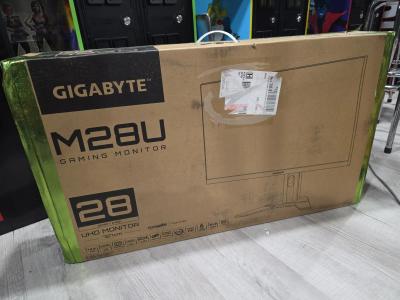
Specs and benchmarks
Panel Type
- Acer Nitro XV320QU
- IPS
- Gigabyte M28U
- SS IPS
Brand
- Acer Nitro XV320QU
- Acer
- Gigabyte M28U
- Gigabyte
Model Number
- Acer Nitro XV320QU
- XV320QU
- Gigabyte M28U
- M28U
Screen Size
- Acer Nitro XV320QU
- 32 inBest
- Gigabyte M28U
- 28 in-12%
Resolution
- Acer Nitro XV320QU
- 2560 x 1440 (QHD)
- Gigabyte M28U
- 3840 x 2160 (4K UHD)
Aspect Ratio
- Acer Nitro XV320QU
- 16:9
- Gigabyte M28U
- 16:9
Refresh Rate
- Acer Nitro XV320QU
- 170 HzBest
- Gigabyte M28U
- 144 Hz-15%
Response Time
- Acer Nitro XV320QU
- 1ms (VRB)
- Gigabyte M28U
- 1ms (GtG)
Adaptive Sync
- Acer Nitro XV320QU
- AMD FreeSync Premium, G-Sync Compatible
- Gigabyte M28U
- AMD FreeSync Premium Pro, G-Sync Compatible
Series
- Acer Nitro XV320QU
- Nitro
- Gigabyte M28U
- Gigabyte Gaming M28U
Color Gamut
- Acer Nitro XV320QU
- ~95%+ DCI-P3
- Gigabyte M28U
- 94% DCI-P3, 120% sRGB
HDR Formats
- Acer Nitro XV320QU
- HDR10
- Gigabyte M28U
- VESA DisplayHDR 400


Which one should you pick?
Choose Acer Nitro XV320QU if you want the higher screen size (32 in vs 28 in) and the higher refresh rate (170 Hz vs 144 Hz).
Choose Gigabyte M28U if you already have it on hand or find it at a lower price.
Verdict
Acer Nitro XV320QU
7.8 / 10 Expert Rating
A practical, larger-format value gaming monitor whose built-in KVM switch adds real convenience for dual-PC users.
Gigabyte M28U
8.3 / 10 Expert Rating
A well-connected 4K gaming monitor whose HDMI 2.1 bandwidth and built-in KVM make it a strong console-and-PC hybrid pick.