
Consumercarts is reader-supported. Learn more
ADATA AD4U3200716G22-BADZ vs Kingston FURY Beast RGB KF552C40BBAK2-96: Comparison
What is the difference between ADATA AD4U3200716G22-BADZ and Kingston FURY Beast RGB KF552C40BBAK2-96?
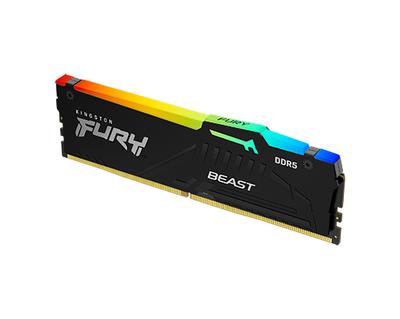
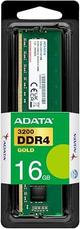
On cas latency the spread is 82%, ADATA AD4U3200716G22-BADZ 22 against Kingston FURY Beast RGB KF552C40BBAK2-96 40, so ADATA AD4U3200716G22-BADZ takes it. Capacity per module runs the same way, 16 GB on the ADATA AD4U3200716G22-BADZ versus 48 GB on the Kingston FURY Beast RGB KF552C40BBAK2-96, another win for Kingston FURY Beast RGB KF552C40BBAK2-96. Kingston FURY Beast RGB KF552C40BBAK2-96 also leads on peak bandwidth, 25.6 GB/s on the ADATA AD4U3200716G22-BADZ versus 83.2 GB/s on the Kingston FURY Beast RGB KF552C40BBAK2-96. Add true latency to that, 13.8 ns on the ADATA AD4U3200716G22-BADZ versus 15.4 ns on the Kingston FURY Beast RGB KF552C40BBAK2-96, and the pattern holds. Ddr generation is not the same on both, DDR4 on the ADATA AD4U3200716G22-BADZ versus DDR5 on the Kingston FURY Beast RGB KF552C40BBAK2-96. They differ on module count too, 1 on the ADATA AD4U3200716G22-BADZ versus 2 on the Kingston FURY Beast RGB KF552C40BBAK2-96. They differ on ram segment too, Industrial/Embedded on the ADATA AD4U3200716G22-BADZ versus Desktop DDR5 on the Kingston FURY Beast RGB KF552C40BBAK2-96. There is a split on form factor as well, DIMM on the ADATA AD4U3200716G22-BADZ versus 288-Pin UDIMM on the Kingston FURY Beast RGB KF552C40BBAK2-96. They differ on platform optimisation too, JEDEC Only on the ADATA AD4U3200716G22-BADZ versus AM5 on the Kingston FURY Beast RGB KF552C40BBAK2-96.
Who each one is for
Buy the Kingston FURY Beast RGB KF552C40BBAK2-96 for content creators running heavy multi-app workflows and local AI/VM workstations needing large RAM pools, though it is not built for budget builds and users who only need 16-32GB. Our rating of the Kingston FURY Beast RGB KF552C40BBAK2-96 (8.7/10): an excellent high-capacity RGB kit for creators and power users who don't want to fill every DIMM slot.
Where the two are identical
Everything else lines up. Warranty read the same on both, so those are not worth weighing.

Specs and benchmarks
Speed Score
- ADATA AD4U3200716G22-BADZ
- –
- Kingston FURY Beast RGB KF552C40BBAK2-96
- 5.5/10
DDR4 and DDR5 kits are scored on separate scales, so these two scores can't be compared directly. Your motherboard supports only one of the two.
DDR Generation
- ADATA AD4U3200716G22-BADZ
- DDR4
- Kingston FURY Beast RGB KF552C40BBAK2-96
- DDR5
Brand
- ADATA AD4U3200716G22-BADZ
- ADATA
- Kingston FURY Beast RGB KF552C40BBAK2-96
- Kingston
Part Number
- ADATA AD4U3200716G22-BADZ
- AD4U3200716G22-BADZ
- Kingston FURY Beast RGB KF552C40BBAK2-96
- KF552C40BBAK2-96
Series
- ADATA AD4U3200716G22-BADZ
- ADATA Industrial
- Kingston FURY Beast RGB KF552C40BBAK2-96
- FURY Beast RGB
CAS Latency
- ADATA AD4U3200716G22-BADZ
- 22Best
- Kingston FURY Beast RGB KF552C40BBAK2-96
- 40-82%
Module Count
- ADATA AD4U3200716G22-BADZ
- 1
- Kingston FURY Beast RGB KF552C40BBAK2-96
- 2
RAM Segment
- ADATA AD4U3200716G22-BADZ
- Industrial/Embedded
- Kingston FURY Beast RGB KF552C40BBAK2-96
- Desktop DDR5
Form Factor
- ADATA AD4U3200716G22-BADZ
- DIMM
- Kingston FURY Beast RGB KF552C40BBAK2-96
- 288-Pin UDIMM (Desktop)
Platform Optimisation
- ADATA AD4U3200716G22-BADZ
- JEDEC Only
- Kingston FURY Beast RGB KF552C40BBAK2-96
- AM5
Capacity Per Module
- ADATA AD4U3200716G22-BADZ
- 16 GB-67%
- Kingston FURY Beast RGB KF552C40BBAK2-96
- 48 GBBest
True Latency
- ADATA AD4U3200716G22-BADZ
- 13.8 nsBest
- Kingston FURY Beast RGB KF552C40BBAK2-96
- 15.4 ns-12%
Warranty
- ADATA AD4U3200716G22-BADZ
- Limited Lifetime
- Kingston FURY Beast RGB KF552C40BBAK2-96
- Limited Lifetime
Peak Bandwidth
- ADATA AD4U3200716G22-BADZ
- 25.6 GB/s-69%
- Kingston FURY Beast RGB KF552C40BBAK2-96
- 83.2 GB/sBest

Which one should you pick?
Choose ADATA AD4U3200716G22-BADZ if you want the lower CAS latency (22 vs 40) and the lower true latency (13.8 ns vs 15.4 ns).
Choose Kingston FURY Beast RGB KF552C40BBAK2-96 if you want the higher capacity per module (48 GB vs 16 GB) and the higher peak bandwidth (83.2 GB/s vs 25.6 GB/s).
Verdict
Kingston FURY Beast RGB KF552C40BBAK2-96
8.7 / 10 Expert Rating
An excellent high-capacity RGB kit for creators and power users who don't want to fill every DIMM slot.