
Consumercarts is reader-supported. Learn more
ASUS Tinker Board 3N vs Banana Pi BPI-F3: Comparison
ASUS Tinker Board 3N vs Banana Pi BPI-F3 soc model compared
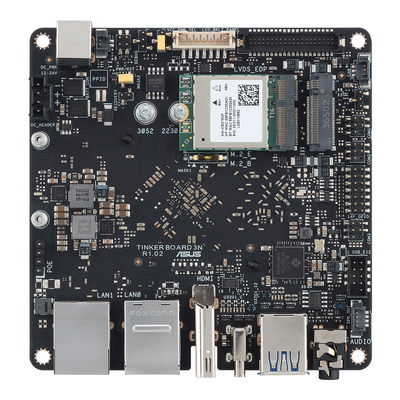
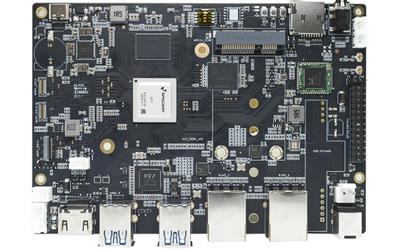
The first real difference is soc model: ASUS Tinker Board 3N Rockchip RK3568, quad-core Cortex-A55 against Banana Pi BPI-F3 Octa-core RISC-V. There is a split on expansion as well, M.2 E and M.2 B slots on the ASUS Tinker Board 3N versus PCIe 2.1 on the Banana Pi BPI-F3.
Which should you buy, ASUS Tinker Board 3N or Banana Pi BPI-F3?
Take the ASUS Tinker Board 3N for industrial, kiosk, and embedded deployments needing dual LAN and modular connectivity expansion. Avoid it for hobbyist projects and beginners, the Raspberry Pi 5's ecosystem and community support are a better fit there. Take the Banana Pi BPI-F3 for RISC-V networking experiments that want dual Ethernet and PCIe expansion in a compact board. It is the wrong buy for buyers who want the most mature RISC-V Linux distribution support currently available. Our rating of the ASUS Tinker Board 3N (7/10): an industrial-first board where dual LAN and modular M.2 connectivity matter more than raw compute. Our rating of the Banana Pi BPI-F3 (7/10): octa-core RISC-V with dual Ethernet and PCIe, in a far smaller package than the Jupiter.
Specs and benchmarks
These products are in different categories and don't share enough specifications to compare meaningfully.
Which one should you pick?
Choose ASUS Tinker Board 3N if you already have it on hand or find it at a lower price.
Choose Banana Pi BPI-F3 if you already have it on hand or find it at a lower price.
Verdict
ASUS Tinker Board 3N
7 / 10 Expert Rating
An industrial-first board where dual LAN and modular M.2 connectivity matter more than raw compute.
Banana Pi BPI-F3
7 / 10 Expert Rating
Octa-core RISC-V with dual Ethernet and PCIe, in a far smaller package than the Jupiter.