
Consumercarts is reader-supported. Learn more
Acer FA100 vs Lexar Professional SL500: Comparison
What is the difference between Acer FA100 and Lexar Professional SL500?
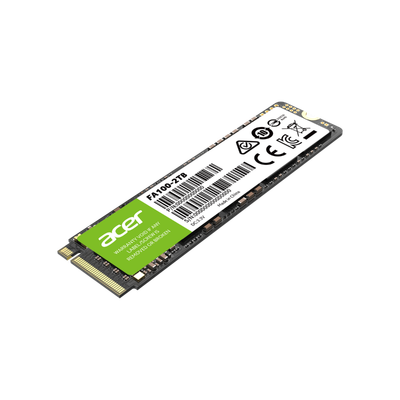
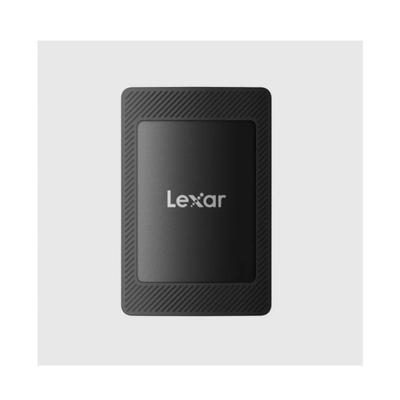
Sequential read is where these two genuinely part company, Acer FA100 3300 MB/s against Lexar Professional SL500 2000 MB/s, a 39% lead for Acer FA100. Add sequential write to that, 2700 MB/s on the Acer FA100 versus 1800 MB/s on the Lexar Professional SL500, and the pattern holds. They differ on bus interface too, PCIe 3.0 x4 on the Acer FA100 versus USB-C 3.2 Gen 2x2 on the Lexar Professional SL500. Form factor is not the same on both, M.2 2280 on the Acer FA100 versus Portable Enclosure on the Lexar Professional SL500. Drive type is not the same on both, Internal on the Acer FA100 versus External Portable on the Lexar Professional SL500.
Which should you buy, Acer FA100 or Lexar Professional SL500?
Buy the Acer FA100 for everyday storage use where 3300 MB/s reads are fast enough. It also earns its place with budget laptop or desktop upgrades wanting 2000 GB on a PCIe 3.0 x4 M.2 slot. It is not the one for buyers wanting PCIe 4.0 performance, as this drive is limited to 3300 MB/s reads. Take the Lexar Professional SL500 for content creators who want fast, compact portable storage for offloading video and photo files in the field. This drive's speed and metal build suit that professional workflow. Avoid it for buyers who specifically need rugged IP-rated dust and water resistance. The SanDisk Extreme Pro Portable SSD V2, covered elsewhere on this site, adds that specific protection.
Specs and benchmarks
Speed Score
- Acer FA100
- 6.4/10
- Lexar Professional SL500
- 7.5/10
Internal and portable SSDs are scored on separate scales, so these two scores can't be compared directly.
Brand
- Acer FA100
- Acer
- Lexar Professional SL500
- Lexar
Model Number
- Acer FA100
- Acer FA100 (Micron B47R)
- Lexar Professional SL500
- SL500
Series
- Acer FA100
- FA100
- Lexar Professional SL500
- Professional SL500
Drive Type
- Acer FA100
- Internal
- Lexar Professional SL500
- External Portable
Bus Interface
- Acer FA100
- PCIe 3.0 x4
- Lexar Professional SL500
- USB-C 3.2 Gen 2x2
Form Factor
- Acer FA100
- M.2 2280
- Lexar Professional SL500
- Portable Enclosure
Sequential Read
- Acer FA100
- 3300 MB/s
- Lexar Professional SL500
- 2000 MB/s-39%
Sequential Write
- Acer FA100
- 2700 MB/s
- Lexar Professional SL500
- 1800 MB/s-33%


Which one should you pick?
Choose Acer FA100 if you want the higher sequential read (3300 MB/s vs 2000 MB/s) and the higher sequential write (2700 MB/s vs 1800 MB/s).
Choose Lexar Professional SL500 if you already have it on hand or find it at a lower price.