
Consumercarts is reader-supported. Learn more
Anker PowerConf C300 vs Razer Kiyo Pro Ultra: Comparison
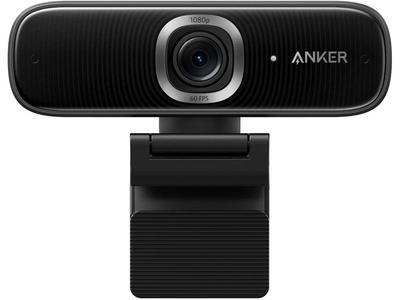
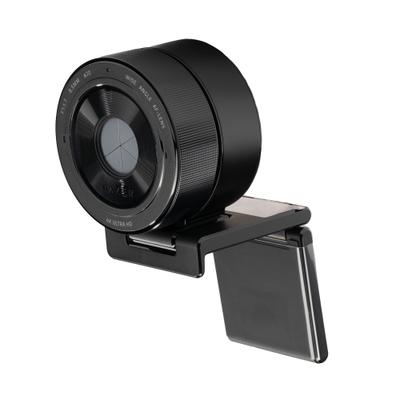
Anker PowerConf C300 vs Razer Kiyo Pro Ultra: the max resolution difference
They are built to different briefs, and max resolution shows it, Anker PowerConf C300 1080p against Razer Kiyo Pro Ultra 4K24. They differ on host connection too, USB-A 2.0 on the Anker PowerConf C300 versus USB on the Razer Kiyo Pro Ultra.
Who each one is for
Buy the Anker PowerConf C300 for home office video calls with AI framing, though it is not built for 4K capture. Take the Razer Kiyo Pro Ultra for streamers and video callers who work in dim or inconsistently lit rooms. The same goes for anyone wanting flexible resolution/frame-rate modes rather than one fixed capture spec. Avoid it for budget buyers, this camera sits at the premium end of the webcam category. Our rating of the Razer Kiyo Pro Ultra (9/10): the big sensor genuinely fixes dim-room video, which no amount of software processing does.
Specs and benchmarks
These products are in different categories and don't share enough specifications to compare meaningfully.
Which one should you pick?
Choose Anker PowerConf C300 if you already have it on hand or find it at a lower price.
Choose Razer Kiyo Pro Ultra if you already have it on hand or find it at a lower price.
Price comparison
| Retailer | Anker PowerConf C300 | Razer Kiyo Pro Ultra |
|---|---|---|
| Amazon | View on Amazon |
Disclaimer: The price and specification of the given product may differ from the actual product. Please confirm on the retailer's website before buying.
Verdict
Razer Kiyo Pro Ultra
9 / 10 Expert Rating
The big sensor genuinely fixes dim-room video, which no amount of software processing does.