
Consumercarts is reader-supported. Learn more
Logitech C925e Business vs OBSBOT Tiny SE: Comparison
Logitech C925e Business vs OBSBOT Tiny SE: the field of view difference
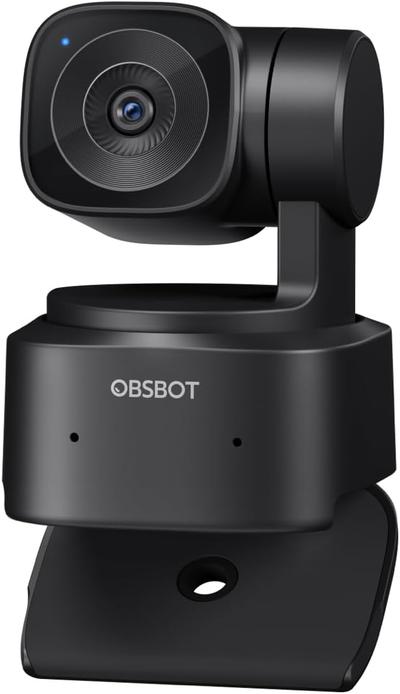
Start with field of view, because it is the widest measured gap between them: Logitech C925e Business 78 deg against OBSBOT Tiny SE 65 deg, 17% in favour of Logitech C925e Business. They differ on autofocus type too, Autofocus on the Logitech C925e Business versus AI Gimbal Auto-Tracking on the OBSBOT Tiny SE. Primary use case is not the same on both, Business Video Conferencing on the Logitech C925e Business versus Content Creation on the OBSBOT Tiny SE. There is a split on privacy shutter as well, Yes on the Logitech C925e Business versus No on the OBSBOT Tiny SE.
Which should you buy, Logitech C925e Business or OBSBOT Tiny SE?
The Logitech C925e Business suits individual desk users needing reliable business-grade video and older business laptops that benefit from on-board H.264 encoding, though it is not the pick for small conference rooms needing a wider field of view and streamers or gamers wanting higher frame rates. The OBSBOT Tiny SE is the one to take for solo streamers wanting auto-tracking on a budget and home office users who move around a lot, though it is not built for anyone requiring 4K resolution and group video calls needing a wide FOV. Our rating of the Logitech C925e Business (7/10): A well-rounded personal business webcam whose on-board encoding and privacy shutter earn it a place on corporate desk-refresh lists. Our rating of the OBSBOT Tiny SE (6/10): an approachable entry point into gimbal-tracking webcams for creators not ready to pay flagship prices.
What Logitech C925e Business and OBSBOT Tiny SE have in common
Everything else lines up. Resolution and frame rate read the same on both, so those are not worth weighing.

Specs and benchmarks
Resolution
- Logitech C925e Business
- 1080p30
- OBSBOT Tiny SE
- 1080p30
Brand
- Logitech C925e Business
- Logitech
- OBSBOT Tiny SE
- OBSBOT
Model Number
- Logitech C925e Business
- C925e
- OBSBOT Tiny SE
- Tiny SE
Frame Rate
- Logitech C925e Business
- 30 fps
- OBSBOT Tiny SE
- 30 fps
Autofocus Type
- Logitech C925e Business
- Autofocus
- OBSBOT Tiny SE
- AI Gimbal Auto-Tracking
Field of View
- Logitech C925e Business
- 78 degBest
- OBSBOT Tiny SE
- 65 deg-17%
Primary Use Case
- Logitech C925e Business
- Business Video Conferencing
- OBSBOT Tiny SE
- Content Creation
Privacy Shutter
- Logitech C925e Business
- Yes
- OBSBOT Tiny SE
- No

Which one should you pick?
Choose Logitech C925e Business if you want the higher frame rate (30 fps vs 30 fps) and the higher field of view (78 deg vs 65 deg).
Choose OBSBOT Tiny SE if you already have it on hand or find it at a lower price.
Verdict
Logitech C925e Business
7 / 10 Expert Rating
A well-rounded personal business webcam whose on-board encoding and privacy shutter earn it a place on corporate desk-refresh lists.
OBSBOT Tiny SE
6 / 10 Expert Rating
An approachable entry point into gimbal-tracking webcams for creators not ready to pay flagship prices.