
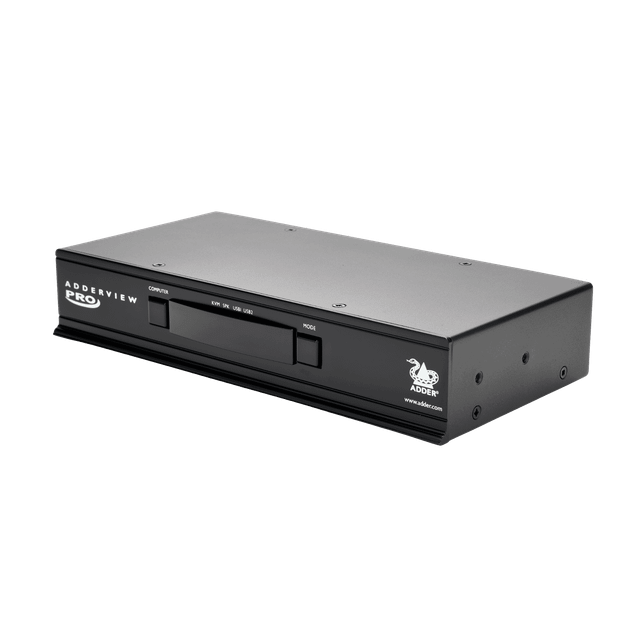
Adder AV4PRO-DP
Expert rating8 / 10
- Port Count:
- 4
- Video Standard:
- DisplayPort 1.1
- Max Resolution:
- 2560x1600 @ 60Hz
- Price:
- $738.00 (was $820.00)
Consumercarts is reader-supported. Learn more
Disclaimer: The price and specification of the given product may differ from the actual product. Please confirm on the retailer's website before buying.
Manufacturer: Adder Technology Last updated: 2026-09-12
Adder AV4PRO-DP Review
Adder AV4PRO-DP 4 port DisplayPort KVM switch USB audio 2560x1600 broadcast editing suite
A four-computer DisplayPort switch built for post-production and broadcast bays, giving one operator instant hotkey control over four DisplayPort machines with synchronized USB peripheral and audio switching.
Overview
The AV4PRO-DP switches DisplayPort video, USB 2.0 peripherals, and stereo audio together across four sources, so pressing a hotkey moves the keyboard, mouse, speakers and display all at once, important in edit bays where audio and video must stay in sync during source changes.
Build and Control
Adder targets broadcast and secure environments with the AdderView PRO line, and the AV4PRO-DP includes both physical front-panel buttons and an on-screen display for confirming which source is active, reducing the chance of an operator editing the wrong machine live.
Comparison to Alternatives
Against ATEN's CS1922 (2-port USB-C, up to 4096x2160@60Hz) and CS782DP (2-port DisplayPort with audio), the AV4PRO-DP trades port density up to 4 while ATEN's units push higher per-port resolution/refresh on fewer ports. Broadcast facilities that need four full DisplayPort sources with matched audio typically choose the Adder; desks needing only two 4K60 sources are better served by the ATEN CS1922.
Our verdict
Reviewed by Burooj Alam. Rated by us, not by users.
Expert rating8 / 10
A dependable 4-port DisplayPort/audio switch purpose-built for broadcast and post-production suites, though its 4K is capped at 30Hz.
Best for
- Broadcast and post-production editing bays
- Secure multi-PC engineering workstations
- Synchronized audio/video source switching
Not for
- Home office use
- Single-desk two-PC setups
- Budget-conscious buyers
Specifications
What these specs meanHow much this switch can do compared with other desk KVM switches, rated from its specifications.
Identity
| Brand | Adder |
|---|---|
| Model Number | AV4PRO-DP |
| Switching Method | Front-panel buttons, keyboard hotkeys, three-button mouse, RS232, optional RC4 remote |
Topology
| Computers Supported | 4 computers |
|---|---|
| Displays Per Computer | 1 displays |
| Total Video Inputs | 4 |
| Total Video Outputs | 1 |
| Video Path Type | Single head |
| KVM Segment | Desk |
Video & Features
| Video Standard | DisplayPort 1.1 |
|---|---|
| Max Resolution | 2560x1600 @ 60Hz |
| USB Hub Ports | 2 |
| Audio Support | Yes |
Video interface
| Video Connector | DisplayPort |
|---|
Per display capability
| Max Resolution Single Display | 2560x1600 |
|---|---|
| Max Refresh At Max Resolution | 60 Hz |
USB peripheral switching
| USB Switching Speed | USB 2.0 |
|---|---|
| Shared USB Ports | 2 ports |
| Dedicated HID Ports | 2 ports |
| HID Emulation | Yes |
USB-C and power delivery
| Power Delivery Wattage | No |
|---|
Switching control
| Button Switching | Yes |
|---|---|
| Hotkey Switching | Yes |
| Mouse Or Cursor Switching | Yes |
| Serial Or Network Control | RS232 |
Audio
| Analog Audio Jacks | Yes |
|---|
Physical and power
| Rack Mountable | Yes |
|---|---|
| External Power Required | Yes |
In the box and price
| Price | 738.00 USD |
|---|
FAQs
What are the key specifications of the Adder AV4PRO-DP (4-Port DisplayPort KVM Switch / USB 2.0 / Audio)?
Key specs for the Adder AV4PRO-DP: Shared USB Ports 2 ports, Dedicated HID Ports 2 ports, Max Resolution 2560x1600 @ 60Hz, Max Refresh At Max Resolution 60 Hz, Max Resolution Per Display 2560x1600, Audio Support Yes.
Who is the Adder AV4PRO-DP (4-Port DisplayPort KVM Switch / USB 2.0 / Audio) best suited to?
Best suited to: Broadcast and post-production editing bays; Secure multi-PC engineering workstations; Synchronized audio/video source switching.
What are the drawbacks of the Adder AV4PRO-DP (4-Port DisplayPort KVM Switch / USB 2.0 / Audio)?
Not the best fit for: Home office use; Single-desk two-PC setups; Budget-conscious buyers.
Compare and read more
- Adder ALIF1104T (HDMI KVM-over-IP Transmitter over 1GbE) vs Adder AV4PRO-DP (4-Port DisplayPort KVM Switch / USB 2.0 / Audio)
- ADDERLink ALIF2112T (Dual Link/Dual Head DVI Extender) vs Adder AV4PRO-DP (4-Port DisplayPort KVM Switch / USB 2.0 / Audio)
- Adder AdderLink IPEPS (IPEPS) (1 Server / IP-Based Remote KVM over IP / Single-Port Extender) vs Adder AV4PRO-DP (4-Port DisplayPort KVM Switch / USB 2.0 / Audio)
- Adder ADDERView PRO (AV4PRO-DVI) (4 Computers / DVI / Secure Desktop KVM) vs Adder AV4PRO-DP (4-Port DisplayPort KVM Switch / USB 2.0 / Audio)
- Adder ALIF1002P (Network DVI Extender Transmitter & Receiver) vs Adder AV4PRO-DP (4-Port DisplayPort KVM Switch / USB 2.0 / Audio)
- EDID Emulation Explained: Why Your Monitor Resets When You Switch
- Does a KVM Switch Work With Two Different Monitors?