
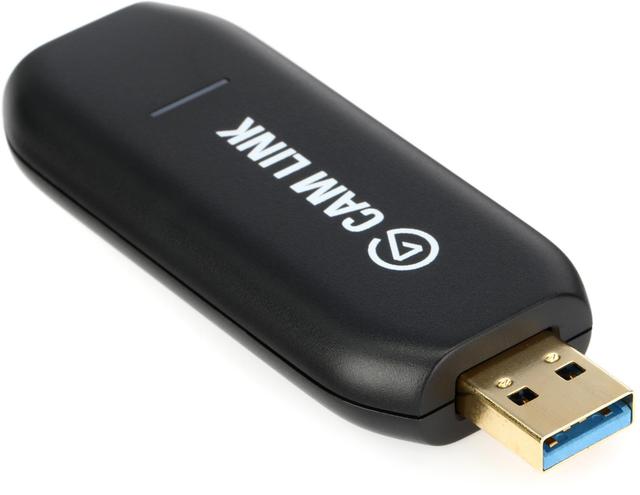
Elgato Cam Link 4K
Expert rating8 / 10
- Form Factor:
- External USB
- Connection Type:
- HDMI in, USB 3.0 out
- Max Recording Resolution:
- 4K30 / 1080p60
Consumercarts is reader-supported. Learn more
Disclaimer: The price and specification of the given product may differ from the actual product. Please confirm on the retailer's website before buying.
Manufacturer: Elgato Last updated: 2026-10-08
Where to buy
- AmazonGo to store
- NeweggGo to store
Elgato Cam Link 4K Review
The Elgato Cam Link 4K is an external USB dongle that turns a DSLR, mirrorless camera, or camcorder with clean HDMI output into a high-quality video source for streaming or video calls, at up to 4K30 or 1080p60.
Every other capture card in our catalog is built around console or PC gameplay capture, the Cam Link 4K solves a completely different problem, turning a DSLR, mirrorless camera, or camcorder into a webcam-quality video source for streaming or video calls through its HDMI output. If you already own a compatible camera with clean HDMI output, the image quality genuinely beats any built-in laptop webcam and even our dedicated webcam picks, provided you already own the camera. Ultra-low latency passthrough keeps the feed responsive in real time, which matters more here than for gameplay capture since this is often used for live calls and streaming.
Not a Gaming Capture Card, a Camera Bridge
If you already own a DSLR or mirrorless camera with clean HDMI output, the Cam Link 4K is how you get that image quality into OBS, Zoom, or Discord, genuinely better image quality than any built-in laptop webcam or even our dedicated webcam picks, provided you already own a compatible camera.
Ultra-Low Latency Matters More Here
Because this is often used for live video calls and streaming rather than pre-recorded footage, Elgato's low-latency passthrough keeps your camera feed responsive in real time, not just for gameplay capture.
Comparison to Alternatives
Against our own Elgato HD60 S+, the HD60 S+ is built for console/PC gameplay capture, the Cam Link 4K is specifically for camera-to-computer video bridging, different use cases entirely despite both being Elgato capture devices. Against our own Logitech MX Brio or Anker PowerConf C300 webcams, if you don't already own a compatible camera, a dedicated webcam is the simpler and cheaper path to better video quality.
Our verdict
Reviewed by Burooj Alam. Rated by us, not by users.
Expert rating8 / 10
The simplest way to turn an existing DSLR, mirrorless camera, or camcorder into a genuinely better video source for streaming and calls.
Best for
- DSLR, mirrorless, or camcorder owners who want to use their existing camera for streaming or video calls.
Not for
- Anyone without a compatible camera already, a dedicated webcam is the simpler and cheaper solution.
Specifications
What these specs meanIdentity
| Brand | Elgato |
|---|---|
| Model Number | Cam Link 4K |
Design
| Form Factor | External USB |
|---|---|
| Connection Type | HDMI in, USB 3.0 out |
Form and connection
| Video Input | HDMI (unencrypted) |
|---|
Capture ceiling, SDR
| Max Capture Resolution | 4K30 / 1080p60 |
|---|
Physical and commercial
| Weight | 20 g |
|---|
FAQs
What are the key specifications of the Elgato Cam Link 4K (HDMI to USB 3.0 / DSLR & Camcorder Capture / 4K30 / External USB Dongle)?
Key specs for the Elgato Cam Link 4K: Form Factor External USB, Connection Type HDMI in, USB 3.0 out, Max Resolution 4K30 / 1080p60, MSRP $129.99, Dimensions 8.1 x 1.2 x 3.1 cm, Weight 20 g.
Who is the Elgato Cam Link 4K (HDMI to USB 3.0 / DSLR & Camcorder Capture / 4K30 / External USB Dongle) best suited to?
Best suited to: DSLR, mirrorless, or camcorder owners who want to use their existing camera for streaming or video calls.
What are the drawbacks of the Elgato Cam Link 4K (HDMI to USB 3.0 / DSLR & Camcorder Capture / 4K30 / External USB Dongle)?
Not the best fit for: Anyone without a compatible camera already, a dedicated webcam is the simpler and cheaper solution.
Compare and read more
- AVerMedia Live Gamer Ultra 2.1 (GC553) (External USB-C / 4K30 HDR Capture / 4K60 HDR Passthrough / Onboard Hardware Encoder) vs Elgato Cam Link 4K (HDMI to USB 3.0 / DSLR & Camcorder Capture / 4K30 / External USB Dongle)
- Blackmagic Design Web Presenter (External Hardware Switcher / SDI & HDMI In / 1080p60 UVC Webcam Output / Broadcast-Grade) vs Elgato Cam Link 4K (HDMI to USB 3.0 / DSLR & Camcorder Capture / 4K30 / External USB Dongle)
- Elgato Cam Link 4K (HDMI to USB 3.0 / DSLR & Camcorder Capture / 4K30 / External USB Dongle) vs Epiphan AV.io HD (External USB 3.0 / 1080p60 Capture / Sub-One-Frame Latency / Broadcast-Grade Reliability)
- Elgato Cam Link 4K (HDMI to USB 3.0 / DSLR & Camcorder Capture / 4K30 / External USB Dongle) vs Magewell USB Capture HDMI 4K Plus (External USB-C / 4K30 Capture / 4K60 Zero-Latency Loop-Through / Driver-Free UVC)
- AVerMedia Live Gamer Duo (GC570D) (External USB / Dual Simultaneous 1080p60 Capture / Webcam + Console Inputs) vs Elgato Cam Link 4K (HDMI to USB 3.0 / DSLR & Camcorder Capture / 4K30 / External USB Dongle)
- 4K Capture Cards: Passthrough Spec vs Actual Capture Resolution
- Why Your "4K60 HDR" Capture Card Can't Actually Do Both at Once