
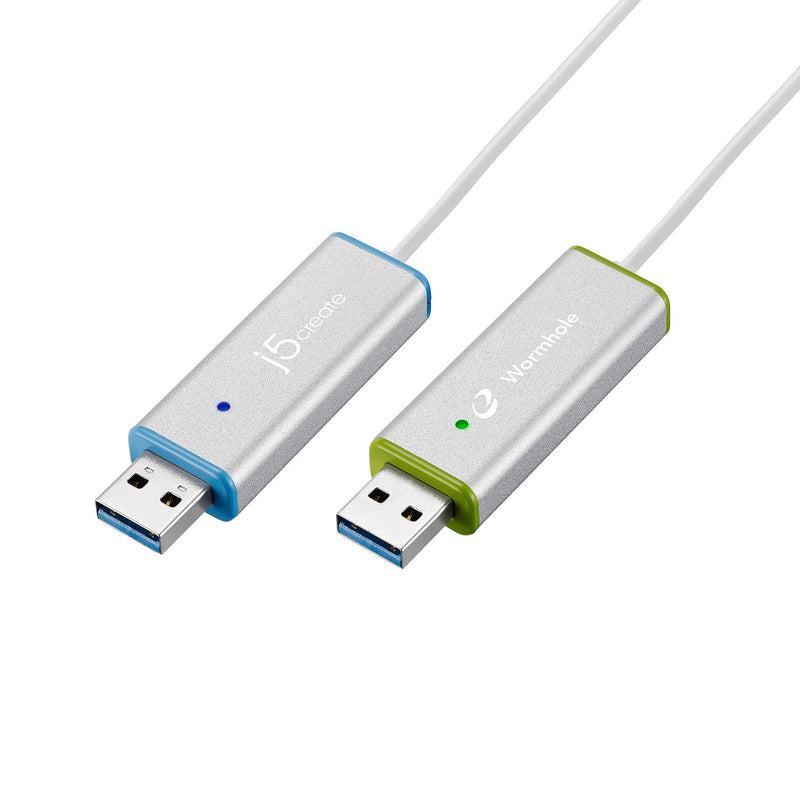
j5create JUC700 USB 3.0 Wormhole Switch DSS
Expert rating6.9 / 10
- Video:
- None (software KVM swap over USB 3.0, uses each PC's own display)
- Computers:
- 2
- Function:
- KVM swap + file transfer
Consumercarts is reader-supported. Learn more
Disclaimer: The price and specification of the given product may differ from the actual product. Please confirm on the retailer's website before buying.
Manufacturer: j5create Last updated: September 26, 2026
j5create JUC700 USB 3.0 Wormhole Switch DSS Review
j5create JUC700 USB 3.0 Wormhole Switch is a 2-computer software KVM swap and file-transfer cable, sharing keyboard and mouse control across two Windows PCs' own displays with no separate video output.
Not a hardware video KVM: this is a single USB 3.0 cable that lets one keyboard and mouse control two Windows PCs, with cursor edge-switching and drag-and-drop file transfer between them.
Overview
The JUC700 is a software-driven KVM swap: a single USB 3.0 cable plus a bundled utility lets one keyboard and mouse control two PCs, moving the cursor across screen edges to switch, along with drag-and-drop file transfer. It has no HDMI/DisplayPort output of its own; each PC keeps using its own monitor.
Our verdict
Reviewed by Burooj Alam. Rated by us, not by users.
Expert rating6.9 / 10
A long-running, well-regarded software KVM-swap cable from an established accessory brand; useful for keyboard/mouse sharing and file transfer between two Windows PCs, but Windows-only and not a substitute for a hardware video KVM.
Best for
- Sharing one keyboard/mouse between 2 Windows PCs without a hardware video KVM
- Frequent file transfer between two computers via drag-and-drop
- Touch-screen users wanting cross-PC control
Not for
- macOS or Linux hosts (Windows only)
- Anyone needing an actual video/HDMI switch
- Users wanting a single shared external display
Specifications
What these specs meanTopology
| Computers Supported | 2 computers |
|---|---|
| KVM Segment | Desk |
Physical and power
| External Power Required | No |
|---|---|
| Power Supply | USB bus-powered, 160mA |
FAQs
What are the key specifications of the j5create JUC700 Wormhole Switch?
Key specs for the j5create JUC700 USB 3.0 Wormhole Switch DSS: Connection Type USB 3.0 Type-A to Type-A cable switch, Function KVM Swap (shared keyboard/mouse with edge-to-edge cursor switching) plus file transfer between 2 PCs, Screen Sharing Modes Primary, Extended, Mirror, Rotation, Data Transfer Speed Up to 5Gbps (USB 3.0), Video Output None - uses each computer's own display; screen modes handled via bundled software, Touch Screen Support Yes.
Who is the j5create JUC700 best suited to?
Best suited to: sharing one keyboard/mouse between 2 Windows PCs without a hardware video KVM; frequent file transfer between two computers via drag-and-drop; touch-screen users wanting cross-PC control.
What are the drawbacks of the j5create JUC700?
Not the best fit for: macOS or Linux hosts, since it's Windows only; anyone needing an actual video/HDMI switch; users wanting a single shared external display.