
Consumercarts is reader-supported. Learn more
Disclaimer: The price and specification of the given product may differ from the actual product. Please confirm on the retailer's website before buying.
Manufacturer: Kingston Last updated: September 11, 2026
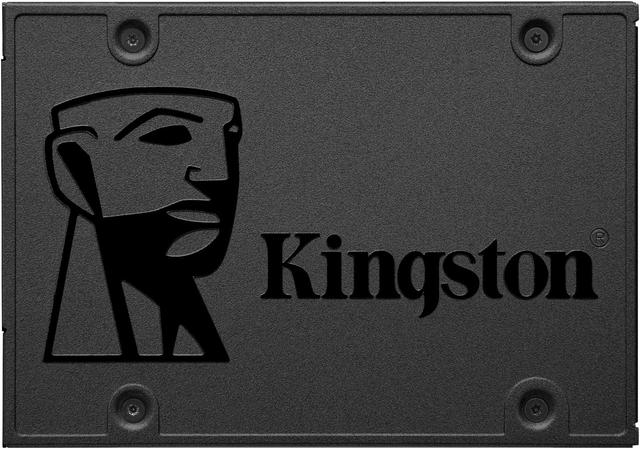
Kingston A400 Review
The Kingston A400 has long served as one of the most basic, lowest-cost SATA SSD upgrades on the market, aimed squarely at buyers replacing an aging mechanical hard drive with the simplest possible solid-state upgrade.
At up to 500 MB/s read and 450 MB/s write, this drive delivers a dramatic real-world improvement over any mechanical hard drive for boot times and application loading, even though its numbers sit at the modest end of the SATA SSD category. Against the Kingston KC600, covered elsewhere on this site, that drive adds hardware encryption and more consistent sustained performance at a higher price. Against the SanDisk SSD Plus, also covered elsewhere on this site, both target the most price-sensitive SATA upgrade buyers.
Performance and Speed
At up to 500 MB/s read and 450 MB/s write, this drive delivers a dramatic real-world improvement over any mechanical hard drive for boot times and application loading, even though its numbers sit at the modest end of the SATA SSD category.
Comparison to Alternatives
Against the Kingston KC600, covered elsewhere on this site, that drive adds hardware encryption and more consistent sustained performance at a higher price. Against the SanDisk SSD Plus, also covered elsewhere on this site, both target the most price-sensitive SATA upgrade buyers.
Our verdict
Reviewed by Burooj Alam. Rated by us, not by users.
Best for
- Buyers replacing an old mechanical hard drive who want the lowest-cost SATA SSD upgrade available. This drive delivers a dramatic real-world speed improvement at minimal cost.
Not for
- Not for buyers who want hardware encryption or top-tier SATA sustained performance. The Kingston KC600, covered elsewhere on this site, is the appropriate step up for those needs.
Specifications
What these specs meanIdentity
| Brand | Kingston |
|---|---|
| Model Number | A400 |
| Series | A400 |
Interface and form
| Drive Type | Internal |
|---|---|
| Bus Interface | SATA III |
| Protocol | AHCI |
| Form Factor | 2.5-inch |
Sequential performance
| Sequential Read | 500 MB/s |
|---|---|
| Sequential Write | 450 MB/s |
Controller and cache
| DRAM Cache | DRAM-less |
|---|
Endurance and reliability
| MTBF | 2000000 hours |
|---|
Physical and commercial
| Length | 100.0 mm |
|---|---|
| Width | 69.9 mm |
| Thickness | 7.0 mm |
| Warranty | 3 Years |
FAQs
What are the key specifications of the Kingston A400 (SATA III/500 MB/s Read/450 MB/s Write/Entry-Level Budget SATA)?
Key specs for the Kingston A400: Sequential Read 500 MB/s, Sequential Write 450 MB/s, Bus Interface SATA III, DRAM Cache DRAM-less, Form Factor 2.5-inch, Drive Type Internal.
Who is the Kingston A400 (SATA III/500 MB/s Read/450 MB/s Write/Entry-Level Budget SATA) best suited to?
Best suited to: Buyers replacing an old mechanical hard drive who want the lowest-cost SATA SSD upgrade available. This drive delivers a dramatic real-world speed improvement at minimal cost.
What are the drawbacks of the Kingston A400 (SATA III/500 MB/s Read/450 MB/s Write/Entry-Level Budget SATA)?
Not the best fit for: Not for buyers who want hardware encryption or top-tier SATA sustained performance. The Kingston KC600, covered elsewhere on this site, is the appropriate step up for those needs.
Compare and read more
- Acer FA100 (Micron B27B) vs Kingston A400 (SATA III/500 MB/s Read/450 MB/s Write/Entry-Level Budget SATA)
- Acer FA100 (Micron B47R) vs Kingston A400 (SATA III/500 MB/s Read/450 MB/s Write/Entry-Level Budget SATA)
- Acer FA200 vs Kingston A400 (SATA III/500 MB/s Read/450 MB/s Write/Entry-Level Budget SATA)
- Acer FA300 vs Kingston A400 (SATA III/500 MB/s Read/450 MB/s Write/Entry-Level Budget SATA)
- Acer Predator GM7000 (PCIe 4.0 NVMe/7,400 MB/s Read/6,700 MB/s Write/Gaming-Branded Midrange Drive) vs Kingston A400 (SATA III/500 MB/s Read/450 MB/s Write/Entry-Level Budget SATA)
- Laptop Buying Guide 2026: What To Look For Before You Buy
- Can You Upgrade the RAM and Storage in Your Laptop? How to Tell Before You Buy