
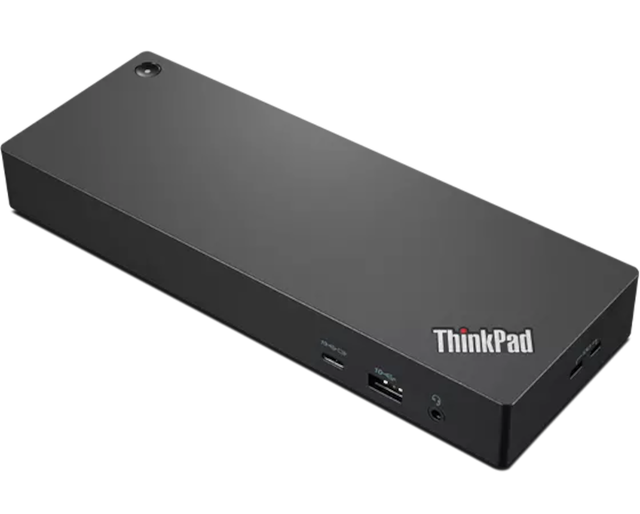
Lenovo ThinkPad Universal Thunderbolt 4 Dock
Expert rating7 / 10
- Connection Type:
- Thunderbolt 4
- Max Display Support:
- HDMI + 2x DisplayPort
- Ethernet:
- Yes
Consumercarts is reader-supported. Learn more
Disclaimer: The price and specification of the given product may differ from the actual product. Please confirm on the retailer's website before buying.
Manufacturer: Lenovo Last updated: September 10, 2026
Where to buy
- AmazonGo to store
- NeweggGo to store
Lenovo ThinkPad Universal Thunderbolt 4 Dock Review
The Lenovo ThinkPad Universal Thunderbolt 4 Dock is an enterprise-focused Thunderbolt 4 docking station with HDMI, dual DisplayPort, Gigabit Ethernet, and multiple USB-A/USB-C downstream ports.
Same story as the HP G4, this is Lenovo's enterprise fleet dock for ThinkPad deployments, and it shows up constantly in corporate laptop refresh cycles. The "Universal" naming means it's designed to work across Lenovo's ThinkPad lineup rather than being tied to one specific model generation, and because it's a standard Thunderbolt 4 device, it works fine outside the ThinkPad ecosystem too. Dual DisplayPort output alongside HDMI gives it slightly more native video flexibility out of the box than single-DisplayPort competitors, useful if your monitor setup already uses DisplayPort cabling on both displays. Specs here are pieced together from retailer listings, Lenovo's own product page was not accessible for direct verification, confirm against Lenovo's official spec sheet before relying on them.
Built for Fleet Deployment, Not Aesthetics
Don't expect RGB or a design-forward aesthetic here, ThinkPad docks are built for IT departments to deploy at scale, functional, durable, and consistent across thousands of units, over being a statement piece on your desk. That utilitarian design philosophy is exactly why they show up so often in the secondhand/refurb market at good prices.
Comparison to Alternatives
Against our HP Thunderbolt Dock G4, near-identical positioning and target market, the Lenovo's dual-DisplayPort output is the more notable spec difference if your monitors are DisplayPort-native. Against our CalDigit TS4 and Belkin Thunderbolt 4 Dock Pro, both consumer-facing docks offer broader port counts and more display flexibility (single-cable 8K support in Belkin's case), the Lenovo trades that for enterprise-grade reliability and fleet-friendly pricing when sourced through business channels.
Our verdict
Reviewed by Burooj Alam. Rated by us, not by users.
Expert rating7 / 10
Dependable fleet hardware with dual native DisplayPort, best value on the refurb market.
Best for
- ThinkPad-standardized home offices and small businesses.
- Buyers who want dual native DisplayPort outputs without adapters.
Not for
- Anyone wanting 8K single-display or the widest port selection, consumer-focused docks do more there.
- Buyers who want the fastest firmware/feature updates rather than fleet-stable ones.
Specifications
What these specs meanIdentity
| Brand | Lenovo |
|---|---|
| Model Number | ThinkPad Universal Thunderbolt 4 Dock |
| Connection Type | Thunderbolt 4 |
| Port Configuration | 1x TB4 downstream, 1x HDMI 2.1, 2x DisplayPort 1.4, 4x USB-A 10Gbps, 1x USB-C 10Gbps, GbE |
| Max Display Support | Up to four 4K@60Hz displays |
Host connection
| Host Interface | Thunderbolt 4 |
|---|---|
| Thunderbolt Version | 4 |
| Host Cable Length | 0.7 m |
Ports & Power
| Max Display Resolution | Single 8K@30Hz or quad 4K@60Hz |
|---|---|
| Ethernet | Yes |
Host power
| Host Power Delivery | 100 W |
|---|---|
| External PSU Wattage | 135 W |
| Bus Powered | No |
Display engine
| Max Displays Windows | 4 |
|---|
Display output
| Max Single Display Resolution | 8K |
|---|---|
| Max Single Display Refresh | 30 Hz |
| Max Dual Display Resolution | 4K |
| Max Dual Display Refresh | 60 Hz |
Video ports
| HDMI Port Count | 1 |
|---|---|
| HDMI Version | 2.1 |
| DisplayPort Port Count | 2 |
| DisplayPort Version | 1.4 |
Data ports
| Downstream Thunderbolt Port Count | 1 |
|---|---|
| USB-A Port Count | 4 |
| USB-C Data Port Count | 1 |
| Max USB Data Rate | 10Gbps |
Downstream power
| Max Downstream USB-C Power | 15 W |
|---|
Network and storage
| Ethernet Speed | 1GbE |
|---|
Audio and control
| Security Lock Slot | Yes |
|---|
Compatibility and physical
| Windows Supported | Yes |
|---|---|
| Weight | 525 g |
FAQs
What are the key specifications of the Lenovo ThinkPad Universal Thunderbolt 4 Dock (Thunderbolt 4 / HDMI + Dual DisplayPort / Gigabit Ethernet / Enterprise Fleet Dock)?
Key specs for the Lenovo ThinkPad Universal Thunderbolt 4 Dock: Power Delivery 100 W, Host Power Delivery 100 W, Ethernet Yes, Ethernet Speed 1GbE, Interface Thunderbolt 4, Video Outputs HDMI 2.1, 2x DisplayPort 1.4.
Will the Lenovo ThinkPad Universal Thunderbolt 4 Dock (Thunderbolt 4 / HDMI + Dual DisplayPort / Gigabit Ethernet / Enterprise Fleet Dock) work with my current setup?
The Lenovo ThinkPad Universal Thunderbolt 4 Dock (Thunderbolt 4 / HDMI + Dual DisplayPort / Gigabit Ethernet / Enterprise Fleet Dock) lists Interface is Thunderbolt 4. Check that against the hardware you already own before buying, since this is the field that most often decides whether a part fits.
Who is the Lenovo ThinkPad Universal Thunderbolt 4 Dock (Thunderbolt 4 / HDMI + Dual DisplayPort / Gigabit Ethernet / Enterprise Fleet Dock) best suited to?
Best suited to: ThinkPad-standardized home offices and small businesses; Buyers who want dual native DisplayPort outputs without adapters.
What are the drawbacks of the Lenovo ThinkPad Universal Thunderbolt 4 Dock (Thunderbolt 4 / HDMI + Dual DisplayPort / Gigabit Ethernet / Enterprise Fleet Dock)?
Not the best fit for: Anyone wanting 8K single-display or the widest port selection, consumer-focused docks do more there; Buyers who want the fastest firmware/feature updates rather than fleet-stable ones.
Compare and read more
- Anker 575 USB-C Docking Station (13-in-1, 85W Pass-Through, Dual Display) vs Lenovo ThinkPad Universal Thunderbolt 4 Dock (Thunderbolt 4 / HDMI + Dual DisplayPort / Gigabit Ethernet / Enterprise Fleet Dock)
- Lenovo ThinkPad Universal Thunderbolt 4 Dock (Thunderbolt 4 / HDMI + Dual DisplayPort / Gigabit Ethernet / Enterprise Fleet Dock) vs Satechi USB4 Pro Hub (USB4 / 8 Ports / 96W Pass-Through Charging / Dual 4K@60Hz / Mac/Windows)
- ATEN UH3238 USB-C Dual Monitor Dock (USB-C / 7 Ports / 90W Host Charging / Dual 4K@60Hz / Fanless with KVM Switching / Windows/Mac) vs Lenovo ThinkPad Universal Thunderbolt 4 Dock (Thunderbolt 4 / HDMI + Dual DisplayPort / Gigabit Ethernet / Enterprise Fleet Dock)
- Dell WD19TB Thunderbolt Dock (Thunderbolt 3 / 12 Ports / 130W Host Charging / Dual 4K@60Hz / Windows) vs Lenovo ThinkPad Universal Thunderbolt 4 Dock (Thunderbolt 4 / HDMI + Dual DisplayPort / Gigabit Ethernet / Enterprise Fleet Dock)
- HP Thunderbolt Dock G4 (Thunderbolt 4 / 120W Power Delivery / Up to 4 Displays / HDMI + DisplayPort / RJ-45 Ethernet) vs Lenovo ThinkPad Universal Thunderbolt 4 Dock (Thunderbolt 4 / HDMI + Dual DisplayPort / Gigabit Ethernet / Enterprise Fleet Dock)
- Why Your Docking Station Only Shows One External Display on a MacBook
- Why "Total Ports" on a Docking Station Doesn't Tell You Anything