
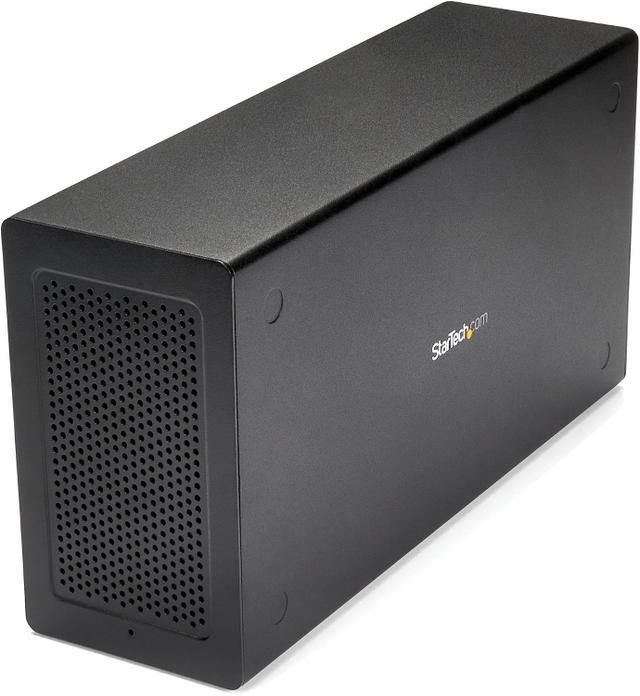
StarTech Thunderbolt 3 PCIe Expansion Chassis
Expert rating5.5 / 10
- Connection Standard:
- Thunderbolt 3
- PSU Wattage:
- External adapter
- Max GPU Length:
- Compact chassis
Consumercarts is reader-supported. Learn more
Disclaimer: The price and specification of the given product may differ from the actual product. Please confirm on the retailer's website before buying.
Manufacturer: StarTech.com Last updated: 2026-09-12
StarTech Thunderbolt 3 PCIe Expansion Chassis (TB31PCIEX16) (Bare PCIe x16 Slot / DisplayPort Video Output / DIY GPU Enclosure / External Power Adapter) Review
StarTech TB31PCIEX16 Thunderbolt 3 PCIe expansion chassis bare DIY eGPU enclosure DisplayPort
StarTech's TB31PCIEX16 is a no-nonsense, DIY-oriented PCIe expansion box aimed as much at general PCIe card expansion as at gaming, but it's a long-running fixture of DIY eGPU guides because of its compact size and built-in DisplayPort passthrough for GPU video output. It skips laptop charging entirely and its single 6-pin power connector limits it to lower-wattage cards, so it fills a narrower niche than dedicated gaming enclosures like the AKiTiO Node.
Overview
The TB31PCIEX16 provides one open PCIe x16 slot behind a Thunderbolt 3 connection, along with a DisplayPort output that lets an installed graphics card drive an external monitor directly through the enclosure. Power comes from an external adapter feeding a single supplemental 6-pin PCIe connector, which caps the enclosure's practical GPU support to smaller, lower-power cards rather than flagship-class hardware.
Comparison to Alternatives
It occupies similar territory to the AKiTiO Node and ADT-Link UT3G as a bare, bring-your-own-GPU box, but its single 6-pin connector gives it noticeably less power headroom than the Node's larger internal supply, and unlike the ADT-Link UT3G it doesn't use the newer, higher-bandwidth USB4/ASM2464PDX chipset. It also lacks the 100W host laptop charging that enclosures like the Razer Core X or Sonnet Breakaway boxes include.
Specifications
Identity
| Brand | StarTech.com |
|---|
Connectivity
| Connection Standard | Thunderbolt 3 |
|---|---|
| Extra Ports | 1 |
Power & Compatibility
| PSU Wattage | 6 W |
|---|---|
| Cooling Type | Passive chassis venting; relies on the installed card's own cooler |
| Model | TB31PCIEX16 |
|---|---|
| Price | Launched around $329.99 |
Expert Review
Reviewed by Burooj Alam. Rated by us, not by users.
Expert rating5.5 / 10
A capable, inexpensive DIY PCIe expansion box, but its limited power delivery and lack of laptop charging make it a compromise pick next to purpose-built gaming eGPU enclosures.
Best for
- DIY builders wanting a compact bare Thunderbolt 3 PCIe enclosure
- Users pairing the box with lower-power single or dual-slot cards
- Buyers who specifically need built-in DisplayPort video passthrough
Not for
- Anyone wanting to run a high-wattage flagship GPU
- Laptop users who want the enclosure to also charge their machine
- Buyers wanting the newest USB4/Thunderbolt 4 chipset bandwidth
FAQs
What are the key specifications of the StarTech Thunderbolt 3 PCIe Expansion Chassis (TB31PCIEX16) (Bare PCIe x16 Slot / DisplayPort Video Output / DIY GPU Enclosure / External Power Adapter)?
The StarTech Thunderbolt 3 PCIe Expansion Chassis (TB31PCIEX16) (Bare PCIe x16 Slot / DisplayPort Video Output / DIY GPU Enclosure / External Power Adapter) is a eGPU enclosure from StarTech.com. Key specs: Connection Standard Thunderbolt 3, PSU Wattage 6, Extra Ports 1x DisplayPort 1.2 video passthrough, Cooling Type Passive chassis venting; relies on the installed card's own cooler, Price Launched around $329.99.
Who is the StarTech Thunderbolt 3 PCIe Expansion Chassis (TB31PCIEX16) (Bare PCIe x16 Slot / DisplayPort Video Output / DIY GPU Enclosure / External Power Adapter) best suited to?
It suits diy builders wanting a compact bare thunderbolt 3 pcie enclosure, users pairing the box with lower-power single or dual-slot cards, buyers who specifically need built-in displayport video passthrough.
What are the drawbacks of the StarTech Thunderbolt 3 PCIe Expansion Chassis (TB31PCIEX16) (Bare PCIe x16 Slot / DisplayPort Video Output / DIY GPU Enclosure / External Power Adapter)?
It is a poor fit for anyone wanting to run a high-wattage flagship gpu, laptop users who want the enclosure to also charge their machine, buyers wanting the newest usb4/thunderbolt 4 chipset bandwidth.
Compare and read more
- Alienware Graphics Amplifier (Proprietary PCIe Connector / 460W PSU / Full-Length GPU / Compatible Alienware & Dell G-Series Only) vs StarTech Thunderbolt 3 PCIe Expansion Chassis (TB31PCIEX16) (Bare PCIe x16 Slot / DisplayPort Video Output / DIY GPU Enclosure / External Power Adapter)
- HP OMEN Accelerator (Proprietary PCIe Connector / 460W PSU / Full-Length GPU / Select OMEN Laptops Only) vs StarTech Thunderbolt 3 PCIe Expansion Chassis (TB31PCIEX16) (Bare PCIe x16 Slot / DisplayPort Video Output / DIY GPU Enclosure / External Power Adapter)
- OWC Mercury Helios 3 (Thunderbolt 3 eGPU Enclosure / 400W PSU / Bus-Powered Charging / Predecessor to Helios FX) vs StarTech Thunderbolt 3 PCIe Expansion Chassis (TB31PCIEX16) (Bare PCIe x16 Slot / DisplayPort Video Output / DIY GPU Enclosure / External Power Adapter)
- Sonnet eGFX Breakaway Box 550 (Thunderbolt 3 / 550W PSU / 87W Laptop Charging / Single-Wide to Double-Wide GPU) vs StarTech Thunderbolt 3 PCIe Expansion Chassis (TB31PCIEX16) (Bare PCIe x16 Slot / DisplayPort Video Output / DIY GPU Enclosure / External Power Adapter)
- AKiTiO Node (Thunderbolt 3 eGPU Enclosure / 500W PSU / 85W Laptop Charging / Original Node, Pre-Titan) vs StarTech Thunderbolt 3 PCIe Expansion Chassis (TB31PCIEX16) (Bare PCIe x16 Slot / DisplayPort Video Output / DIY GPU Enclosure / External Power Adapter)