
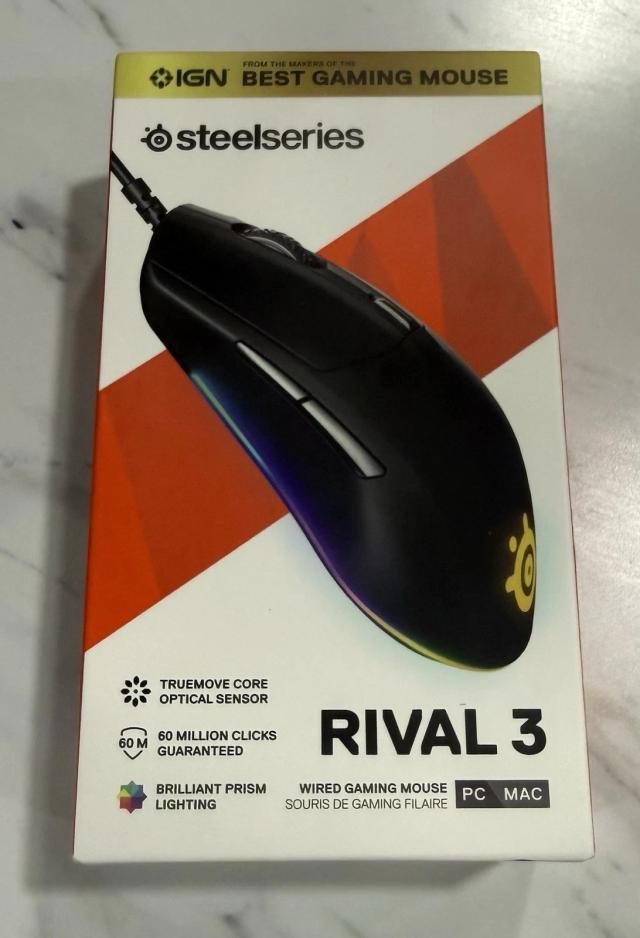
SteelSeries Rival 3
Expert rating8 / 10
- Weight:
- 77g
- Connectivity:
- Wired
- Shape:
- Symmetrical
- Max DPI:
- 8,500
Consumercarts is reader-supported. Learn more
Disclaimer: The price and specification of the given product may differ from the actual product. Please confirm on the retailer's website before buying.
Manufacturer: SteelSeries Last updated: 2026-09-12
SteelSeries Rival 3 Review
The SteelSeries Rival 3 is one of the most searched budget gaming mice because it undercuts most rivals on price while still using switches rated for 60 million clicks.
For around $20-$30 you get a genuinely durable mechanical switch mouse with RGB and a competent entry-tier optical sensor, which is why it's a common recommendation for anyone building a first gaming setup on a tight budget.
Budget Without Feeling Cheap
Despite its low price, the Rival 3 uses real mechanical switches rated for 60 million clicks and a durable matte shell that holds up to daily use.
Where the Savings Show
The TrueMove Core sensor tops out at 8,500 CPI, which is plenty for most players but a clear step down from SteelSeries' flagship TrueMove Pro sensor in the Sensei Ten.
Comparison to Alternatives
Against the Razer Viper Mini, the Rival 3 has a larger shell better suited to palm grip and bigger hands. Compared to its own wireless sibling, the SteelSeries Rival 3 Wireless, this wired version is lighter and cheaper if you don't need to cut the cord. For MMO-style extra buttons at a similar price, the Redragon M711 Cobra is worth cross-shopping.
Our verdict
Reviewed by Burooj Alam. Rated by us, not by users.
Expert rating8 / 10
The best budget mechanical-switch mouse in SteelSeries' lineup, and a fair pick for anyone who doesn't need a flagship sensor.
Best for
- Budget buyers who still want real mechanical switches
- First-time gaming mouse buyers
- Ambidextrous grip users who want a mid-size symmetrical shell
Not for
- Esports players who want the highest DPI ceiling available
- Anyone who wants wireless out of the box
- Players who want adjustable weight or extensive button counts
Specifications
What these specs meanIdentity
| Brand | SteelSeries |
|---|---|
| Model | Rival 3 |
Design
| Connectivity | Wired |
|---|---|
| Grip Type | Ambidextrous |
| Shape | Symmetrical |
Performance
| Sensor Tier | Entry |
|---|---|
| Buttons | 6 |
| Polling Rate | 1000 Hz |
| RGB Lighting | Yes |
Sensor
| Sensor Model | TrueMove Core Optical |
|---|---|
| Max DPI | 8500 DPI |
Weight and size
| Weight | 77 g |
|---|
Buttons and switches
| Switch Type | Mechanical |
|---|---|
| Click Rating | 60 million clicks |
FAQs
What are the key specifications of the SteelSeries Rival 3?
Key specs for the SteelSeries Rival 3: Sensor TrueMove Core Optical, Max DPI 8500, Connectivity Wired, Polling Rate 1000 Hz, Grip Type Ambidextrous, Shape Symmetrical.
Will the SteelSeries Rival 3 work with my current setup?
The SteelSeries Rival 3 lists Sensor is TrueMove Core Optical. Check that against the hardware you already own before buying, since this is the field that most often decides whether a part fits.
Who is the SteelSeries Rival 3 best suited to?
Best suited to: Budget buyers who still want real mechanical switches; First-time gaming mouse buyers; Ambidextrous grip users who want a mid-size symmetrical shell.
What are the drawbacks of the SteelSeries Rival 3?
Not the best fit for: Esports players who want the highest DPI ceiling available; Anyone who wants wireless out of the box; Players who want adjustable weight or extensive button counts.
Compare and read more
- BenQ Zowie ZA13-C vs SteelSeries Rival 3
- Cooler Master MM720 vs SteelSeries Rival 3
- BenQ Zowie S2 vs SteelSeries Rival 3
- Cooler Master MM711 vs SteelSeries Rival 3
- Cooler Master MM731 (Wireless/Ambidextrous Symmetrical/49g/PAW3370 Sensor up to 19,000 DPI/1000Hz/70hr Battery/Optical Switches) vs SteelSeries Rival 3
- DPI Doesn't Matter Anymore. Grip Style Is What Actually Decides Your Next Mouse