
Consumercarts is reader-supported. Learn more
Disclaimer: The price and specification of the given product may differ from the actual product. Please confirm on the retailer's website before buying.
Manufacturer: UGREEN Last updated: September 24, 2026
Where to buy
- AmazonGo to store
- NeweggGo to store
UGREEN Revodok Pro 210 Review
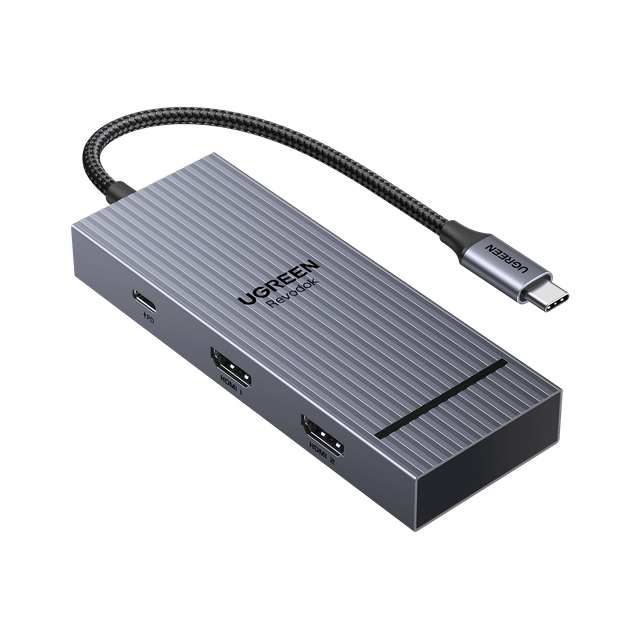
The UGREEN Revodok Pro 210 is a 10-port USB-C docking station with two HDMI outputs that run two displays at 4K@60Hz or one at 8K@30Hz, 85W pass-through charging, 5Gbps USB-C and USB-A data ports, two USB 2.0 ports, SD and microSD slots and gigabit Ethernet.
It needs no driver, which makes it the easy pick for Windows laptops, including locked-down work machines.
On a Mac it is a different story: two monitors show the same mirrored image rather than an extended desktop, per UGREEN's own notes. Mac owners who want two extended screens should look at the DisplayLink-based Revodok Pro 209 instead. It is a USB-C dock, not Thunderbolt, and its data ports top out at 5Gbps.
Revodok Pro 209 vs Revodok Pro 210
Both are USB-C docks with 85W pass-through charging and gigabit Ethernet; neither is Thunderbolt. The 209 drives its two 4K 60Hz displays through DisplayLink, so it needs a driver but gives two extended screens on a Mac. The 210 uses native HDMI with no driver, adds SD and microSD slots and can run one 8K 30Hz display, but on a Mac two monitors only mirror. The 209 has faster data ports: 10Gbps against the 210's 5Gbps.
Our verdict
Reviewed by Burooj Alam. Rated by us, not by users.
Expert rating7 / 10
A driver-free dock for Windows laptops, with two 4K 60Hz HDMI outputs, card readers and 85W charging. On a Mac two monitors only mirror, so Mac owners should pick the Revodok Pro 209.
Best for
- Windows laptops that need two 4K 60Hz monitors without installing a driver
- Work laptops where IT blocks extra software
- Photographers who want SD and microSD slots on the dock
Not for
- Mac users who want two extended displays, since they mirror
- Fast external SSDs, since the USB data ports top out at 5Gbps
- Buyers who need Thunderbolt
Specifications
What these specs meanIdentity
| Brand | UGREEN |
|---|---|
| Model Number | Revodok Pro 210 |
| Connection Type | USB-C |
| Port Configuration | 1x USB-C upstream (100W-rated PD port, up to 85W pass-through charging), 1x USB-C data port (5Gbps), 1x USB-A data port (5Gbps), 2x USB-A 2.0, 2x HDMI (HDMI1: dual-display 4K@60Hz max; HDMI2: single-display 8K@30Hz max), 1000Mbps Ethernet, SD/TF card slots |
| Max Display Support | Dual 4K |
Host connection
| Host Interface | USB-C 3.2 Gen 1 |
|---|---|
| Thunderbolt Version | None |
Ports & Power
| Max Display Resolution | Single 8K@30Hz or Dual 4K@60Hz |
|---|---|
| Total Ports | 10 |
| Ethernet | Yes |
Host power
| Host Power Delivery | 85W pass-through |
|---|
Display engine
| Video Path | MST Hub |
|---|---|
| DisplayLink Driver Required | No |
| Max Displays Windows | 2 |
Display output
| Max Single Display Resolution | 8K |
|---|---|
| Max Single Display Refresh | 30 Hz |
| Max Dual Display Resolution | 4K |
| Max Dual Display Refresh | 60 Hz |
Video ports
| HDMI Port Count | 2 |
|---|---|
| DisplayPort Port Count | 0 |
Data ports
| USB-A Port Count | 3 |
|---|---|
| USB-C Data Port Count | 1 |
| Max USB Data Rate | 5Gbps |
Network and storage
| Ethernet Speed | 1GbE |
|---|
FAQs
What are the specs of the UGREEN Revodok Pro 210?
10 ports over one USB-C cable: 2 HDMI outputs (dual 4K@60Hz or single 8K@30Hz), one 5Gbps USB-C and one 5Gbps USB-A data port, two USB 2.0 ports, SD and microSD slots, gigabit Ethernet and 85W pass-through charging.
Does the UGREEN Revodok Pro 210 support dual monitors?
Yes. It drives two external displays at up to 4K@60Hz together, or a single display at up to 8K@30Hz through its second HDMI port, per UGREEN's official specifications. On macOS, dual external displays show a mirrored image rather than extended desktops.
Is the UGREEN Revodok Pro 210 a Thunderbolt dock?
No. UGREEN's own product listing describes the Revodok Pro 210 as a 10-in-1 USB-C docking station, not a Thunderbolt-certified device.
Compare and read more
- Anker 575 USB-C Docking Station (13-in-1, 85W Pass-Through, Dual Display) vs UGREEN Revodok Pro 210 (USB-C Dock, 10 Ports, 85W Pass-Through, Dual 4K60)
- ATEN UH3238 USB-C Dual Monitor Dock (USB-C / 7 Ports / 90W Host Charging / Dual 4K@60Hz / Fanless with KVM Switching / Windows/Mac) vs UGREEN Revodok Pro 210 (USB-C Dock, 10 Ports, 85W Pass-Through, Dual 4K60)
- j5create JCD388 Thunderbolt 4 Dock (Thunderbolt 4 / 9 Ports / 96W Host Charging / Dual 4K@60Hz / Mac/Windows) vs UGREEN Revodok Pro 210 (USB-C Dock, 10 Ports, 85W Pass-Through, Dual 4K60)
- Kensington SD1620P (USB-C / 6 Ports / 100W Pass-Through / Dual 4K@60Hz Portable / Windows/Mac/Chrome) vs UGREEN Revodok Pro 210 (USB-C Dock, 10 Ports, 85W Pass-Through, Dual 4K60)
- Plugable UD-6950Z (USB-C/USB-A / 11 Ports / 60W Host Charging / Triple 4K@30Hz DisplayLink / Windows/Mac) vs UGREEN Revodok Pro 210 (USB-C Dock, 10 Ports, 85W Pass-Through, Dual 4K60)
- UGREEN Revodok Pro 209 (USB-C DisplayLink Dock, 9 Ports, 85W Charging) vs UGREEN Revodok Pro 210 (USB-C Dock, 10 Ports, 85W Pass-Through, Dual 4K60)
- Why Your Docking Station Only Shows One External Display on a MacBook
- Why "Total Ports" on a Docking Station Doesn't Tell You Anything