
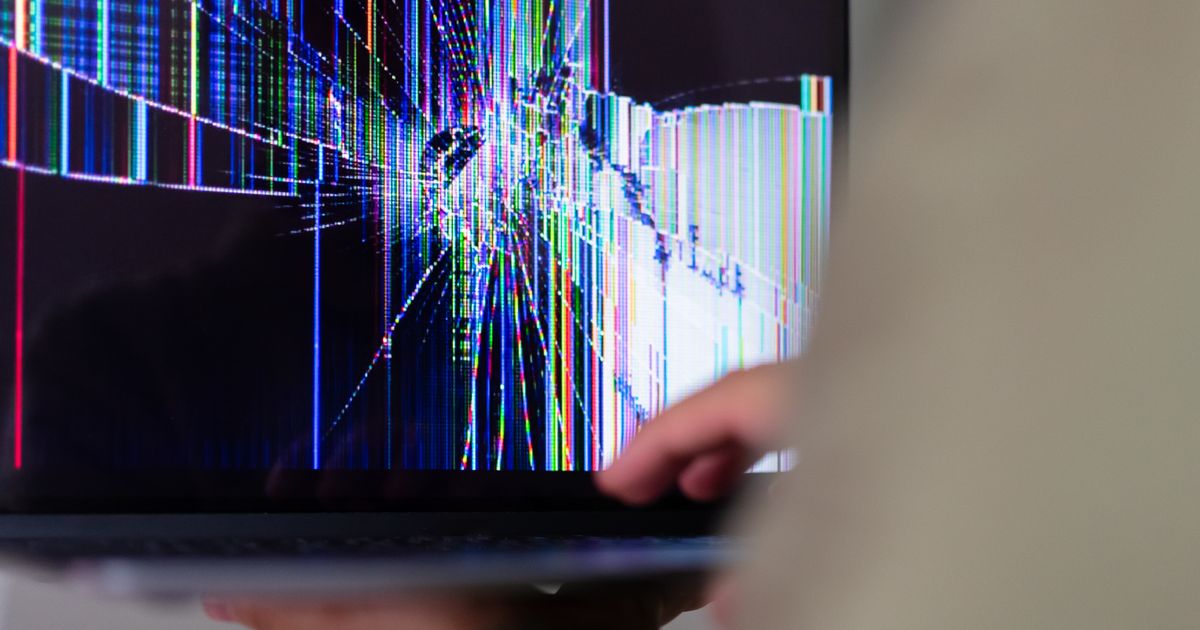
A black screen is a symptom, not a diagnosis. Four completely different faults produce it, one of them costs nothing to fix and one of them is usually the end of the machine. Three tests, done in order, tell you which you have.
Test One: Plug In an External Display
This is the first thing to do every time, before any disassembly.
Connect a monitor over HDMI or USB-C and boot the machine. If the external display shows a normal picture, the GPU, the board and the operating system are all fine, and the fault is downstream of the video output: the display cable, the backlight or the panel itself.
If the external display shows nothing either, stop thinking about the screen. The fault is the GPU, the board, RAM seating or the power path, and a new panel will not help.
Test Two: Shine a Light on the Dark Screen
If the external display works, the next question is whether the panel is producing an image that you simply cannot see.
Put a bright torch close to the screen at a shallow angle, in a dark room, and look for the shape of the desktop, the login box, the cursor. If a faint image is there, the panel is alive and the backlight is not. On modern LED panels that usually means the backlight driver circuit or the LED string, and on a few older machines a separate inverter board.
If the screen is genuinely dead under a torch, the panel is not producing an image, and the fault is the panel or the cable feeding it.
Test Three: Work the Hinges
With the machine on and something visible on the screen, open and close the lid slowly through its full range and watch for flicker, colour shifts, lines that appear and vanish, or the picture cutting out at a particular angle.
Anything that tracks the hinge position is the display cable. It runs through the hinge and it is the single most mechanically abused part in the whole machine. Cables are cheap and they are the most commonly replaced part in this failure class after the panel itself.
Reading the Symptoms
| What you see | Most likely cause | Next step |
|---|---|---|
| Nothing on the laptop screen, external monitor fine, faint image under a torch | Backlight circuit or LED string | Panel replacement is usually the practical fix |
| Nothing on either display | GPU, board, RAM or power delivery | Reseat RAM, then it is a board diagnosis |
| Vertical or horizontal lines that never move | Panel, failed row or column driver | Panel |
| Lines or flicker that change with lid angle | Display cable | Cable first, panel only if that fails |
| Blotches, spreading dark patches, a bloom around a crack | Panel, physical damage | Panel |
| Image is there but very dim at all brightness settings | Backlight ageing or driver | Panel |
| Image frozen, machine responsive over remote | Software or driver | Not a hardware fault |
| Burn-in, static elements ghosted on an OLED panel | Panel, permanent | Panel |
The Two Fault Classes That Look Identical and Are Not
A cracked panel with no visible crack and a failed display cable produce the same complaint: works sometimes, glitches, shows lines. The difference is that a cable fault responds to movement and a panel fault does not.
Test it properly. Do not wiggle the lid, which moves the whole assembly. Open it in small steps, pausing at each angle, and watch the screen. A cable that has worn through inside the hinge will fail at a specific angle, reproducibly.
What This Is Worth Doing
The external monitor test takes two minutes and it is the difference between ordering a panel and finding out afterwards that the board was the problem. The torch test takes thirty seconds. The hinge test takes one minute.
Three minutes of testing, before any part is ordered. For a shop, that is also the difference between a quote you can stand behind and a job that comes back.
If the external display shows nothing, be honest about the economics early. Board-level video faults on modern machines usually mean a GPU or bridge reball, and on most consumer laptops the labour on that exceeds the value of the machine.
Related on Consumercarts
- Browse laptop replacement screens
- Is Your Laptop Worth Repairing? A Parts and Value Guide
- Why Is My Laptop Screen Flickering? Five Causes, In Order of Likelihood
- PWM Flicker on Laptop Screens: How to Test for It and What the Standard Says
- Battery, Charger or Board? How to Diagnose a Laptop That Will Not Hold Charge
- How to Replace a Laptop Screen: Step by Step
- Laptop Screen Replacement Cost
- How to Find the Right Replacement Screen for Your Laptop
- 30-Pin vs 40-Pin Laptop Screen Connectors
- Sourcing Replacement Laptop Panels
Common replacement panels once you have a diagnosis: Innolux N156HCA-EBA, 15.6-inch FHD IPS, BOE NT140FHM-N41, 14-inch FHD IPS, AUO B173HAN04.0, 17.3-inch 144Hz.