
Consumercarts is reader-supported. Learn more
ASUS ROG Keris II Ace vs Corsair Ironclaw RGB: Comparison
What is the difference between ASUS ROG Keris II Ace and Corsair Ironclaw RGB?
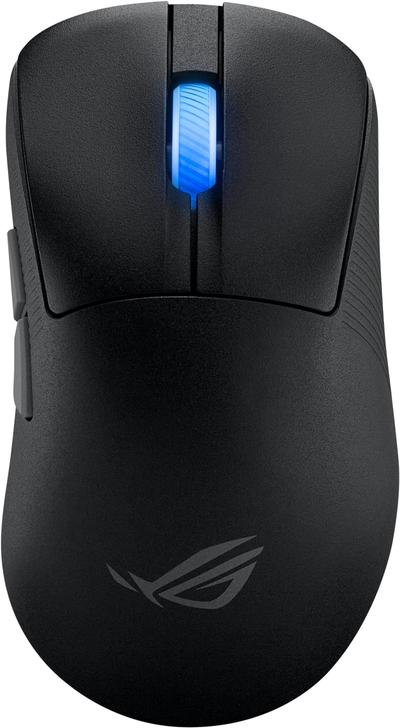
Weight is where these two genuinely part company, ASUS ROG Keris II Ace 54 g against Corsair Ironclaw RGB 105 g, a 94% lead for ASUS ROG Keris II Ace. There is a split on grip type as well, Ambidextrous on the ASUS ROG Keris II Ace versus Right-Handed on the Corsair Ironclaw RGB. They differ on shape too, Symmetrical on the ASUS ROG Keris II Ace versus Ergonomic on the Corsair Ironclaw RGB. They differ on switch type too, Optical Push-Pull on the ASUS ROG Keris II Ace versus Mechanical on the Corsair Ironclaw RGB.
ASUS ROG Keris II Ace vs Corsair Ironclaw RGB: which one fits your build
Take the ASUS ROG Keris II Ace for competitive esports players who want ROG's flagship 8000Hz sensor at the lowest available weight. This mouse competes directly at the top of the ultralight esports category. Avoid it for buyers who want long battery life at 8000Hz polling. Battery life drops significantly at maximum polling rate; the standard 1000Hz mode is better for all-day sessions. Buy the Corsair Ironclaw RGB for claw grip players wanting a shape built specifically for them and buyers who want a flagship sensor at a wired-only price, though it is not the pick for palm grip players who want a fuller shell and anyone who wants a wireless connection. Our rating of the Corsair Ironclaw RGB (8/10): A strong wired pick specifically for claw grip players who want a flagship sensor without paying for wireless.
Frequently asked questions
Do the ASUS ROG Keris II Ace and Corsair Ironclaw RGB differ on sensor model?
Yes. Sensor Model reads AimPoint Pro, up to 42,000 DPI on the ASUS ROG Keris II Ace versus PixArt PMW3391 on the Corsair Ironclaw RGB.

Specs and benchmarks
Brand
- ASUS ROG Keris II Ace
- ASUS
- Corsair Ironclaw RGB
- Corsair
Connectivity
- ASUS ROG Keris II Ace
- Wireless (2.4GHz), Wired
- Corsair Ironclaw RGB
- Wired
Grip Type
- ASUS ROG Keris II Ace
- Ambidextrous
- Corsair Ironclaw RGB
- Right-Handed
Model
- ASUS ROG Keris II Ace
- ROG Keris II Ace
- Corsair Ironclaw RGB
- Ironclaw RGB
Shape
- ASUS ROG Keris II Ace
- Symmetrical
- Corsair Ironclaw RGB
- Ergonomic
Sensor Model
- ASUS ROG Keris II Ace
- AimPoint Pro, up to 42,000 DPI
- Corsair Ironclaw RGB
- PixArt PMW3391
Polling Rate
- ASUS ROG Keris II Ace
- Up to 8000HzBest
- Corsair Ironclaw RGB
- 1000 Hz
Weight
- ASUS ROG Keris II Ace
- 54 gBest
- Corsair Ironclaw RGB
- 105 g-94%
Switch Type
- ASUS ROG Keris II Ace
- Optical Push-Pull
- Corsair Ironclaw RGB
- Mechanical

Which one should you pick?
Choose ASUS ROG Keris II Ace if you want the higher polling rate (Up to 8000Hz vs 1000 Hz) and the lower weight (54 g vs 105 g).
Choose Corsair Ironclaw RGB if you already have it on hand or find it at a lower price.
Price comparison
| Retailer | ASUS ROG Keris II Ace | Corsair Ironclaw RGB |
|---|---|---|
| Amazon | View on Amazon | |
| Newegg | View on Newegg |
Disclaimer: The price and specification of the given product may differ from the actual product. Please confirm on the retailer's website before buying.
Verdict
Corsair Ironclaw RGB
8 / 10 Expert Rating
A strong wired pick specifically for claw grip players who want a flagship sensor without paying for wireless.