
Consumercarts is reader-supported. Learn more
Acer Nitro XV320QU vs Cooler Master GM27-FQS: Comparison
Acer Nitro XV320QU vs Cooler Master GM27-FQS refresh rate compared
There is no decisive spec gap here. Refresh rate splits them by a margin most buyers will never feel, Acer Nitro XV320QU 170 Hz against Cooler Master GM27-FQS 165 Hz. Screen size runs the same way, 32 in on the Acer Nitro XV320QU versus 27 in on the Cooler Master GM27-FQS, another win for Acer Nitro XV320QU. There is a split on color gamut as well, ~95%+ DCI-P3 on the Acer Nitro XV320QU versus 90% DCI-P3 on the Cooler Master GM27-FQS.
Who each one is for
Buy the Acer Nitro XV320QU for Dual-PC users wanting a built-in KVM switch and casual to mid-level gamers upgrading from 1080p, though it is not the pick for pixel-density purists wanting maximum sharpness at 1440p and competitive players wanting sub-1ms OLED-class response. It also earns its place with buyers wanting a larger 1440p canvas without a 4K price tag. The Cooler Master GM27-FQS suits PC builders already invested in Cooler Master's ecosystem and value-focused QHD gaming shoppers, though it is not built for buyers wanting mature, polished OSD software and HDR content enthusiasts. Our rating of the Acer Nitro XV320QU (7.8/10): A practical, larger-format value gaming monitor whose built-in KVM switch adds real convenience for dual-PC users. Our rating of the Cooler Master GM27-FQS (7.7/10): A competent first-generation gaming monitor from a trusted PC hardware brand, competitive on specs if not yet on software polish.
What Acer Nitro XV320QU and Cooler Master GM27-FQS have in common
Everything else lines up. Resolution, panel type, hdr formats, adaptive sync and aspect ratio read the same on both, so those are not worth weighing.

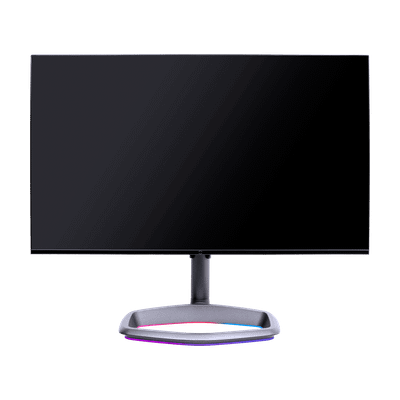
Specs and benchmarks
Panel Type
- Acer Nitro XV320QU
- IPS
- Cooler Master GM27-FQS
- IPS
Brand
- Acer Nitro XV320QU
- Acer
- Cooler Master GM27-FQS
- Cooler Master
Model Number
- Acer Nitro XV320QU
- XV320QU
- Cooler Master GM27-FQS
- GM27-FQS
Screen Size
- Acer Nitro XV320QU
- 32 inBest
- Cooler Master GM27-FQS
- 27 in-16%
Resolution
- Acer Nitro XV320QU
- 2560 x 1440 (QHD)
- Cooler Master GM27-FQS
- 2560 x 1440 (QHD)
Aspect Ratio
- Acer Nitro XV320QU
- 16:9
- Cooler Master GM27-FQS
- 16:9
Refresh Rate
- Acer Nitro XV320QU
- 170 HzBest
- Cooler Master GM27-FQS
- 165 Hz-3%
Adaptive Sync
- Acer Nitro XV320QU
- AMD FreeSync Premium, G-Sync Compatible
- Cooler Master GM27-FQS
- AMD FreeSync Premium, G-Sync Compatible
Series
- Acer Nitro XV320QU
- Nitro
- Cooler Master GM27-FQS
- Cooler Master Gaming GM27-FQS
Color Gamut
- Acer Nitro XV320QU
- ~95%+ DCI-P3
- Cooler Master GM27-FQS
- 90% DCI-P3
HDR Formats
- Acer Nitro XV320QU
- HDR10
- Cooler Master GM27-FQS
- HDR10


Which one should you pick?
Choose Acer Nitro XV320QU if you want the higher screen size (32 in vs 27 in) and the higher refresh rate (170 Hz vs 165 Hz).
Choose Cooler Master GM27-FQS if you already have it on hand or find it at a lower price.
Verdict
Acer Nitro XV320QU
7.8 / 10 Expert Rating
A practical, larger-format value gaming monitor whose built-in KVM switch adds real convenience for dual-PC users.
Cooler Master GM27-FQS
7.7 / 10 Expert Rating
A competent first-generation gaming monitor from a trusted PC hardware brand, competitive on specs if not yet on software polish.