
Consumercarts is reader-supported. Learn more
AVerMedia CAM 313 Pro vs OBSBOT Tiny SE: Comparison
What is the difference between AVerMedia CAM 313 Pro and OBSBOT Tiny SE?
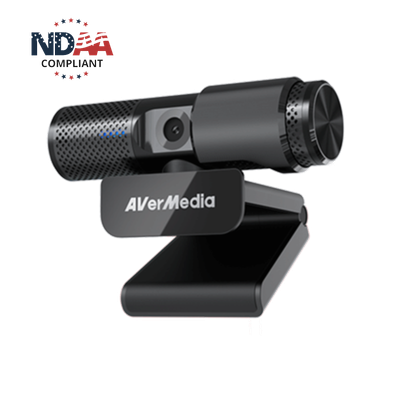
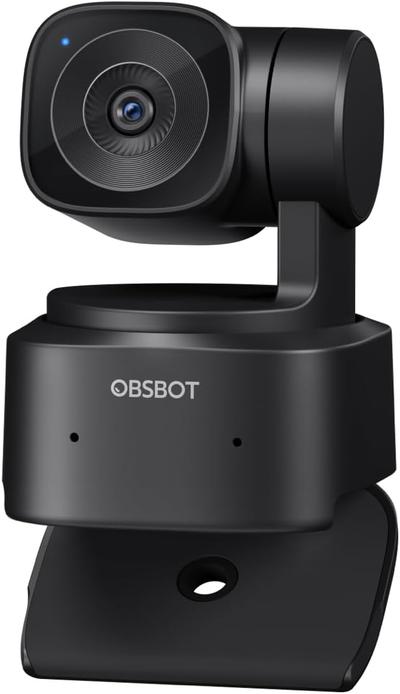
On field of view the spread is 32%, AVerMedia CAM 313 Pro 95 deg against OBSBOT Tiny SE 65 deg, so AVerMedia CAM 313 Pro takes it. They differ on autofocus type too, Autofocus on the AVerMedia CAM 313 Pro versus AI Gimbal Auto-Tracking on the OBSBOT Tiny SE. They differ on primary use case too, Video Calls, Remote Work on the AVerMedia CAM 313 Pro versus Content Creation on the OBSBOT Tiny SE. There is a split on privacy shutter as well, Yes on the AVerMedia CAM 313 Pro versus No on the OBSBOT Tiny SE.
Which should you buy, AVerMedia CAM 313 Pro or OBSBOT Tiny SE?
The AVerMedia CAM 313 Pro suits remote workers in dim or backlit home offices and buyers wanting autofocus and a privacy shutter together, though it is not built for streamers wanting 60fps or higher resolution and studio setups with controlled, bright lighting. Buy the OBSBOT Tiny SE for solo streamers wanting auto-tracking on a budget and home office users who move around a lot, though it is not the pick for anyone requiring 4K resolution and group video calls needing a wide FOV. Our rating of the AVerMedia CAM 313 Pro (6/10): A solid low-light-focused 1080p webcam for home offices, if not a class leader on raw sharpness. Our rating of the OBSBOT Tiny SE (6/10): an approachable entry point into gimbal-tracking webcams for creators not ready to pay flagship prices.
Where the two are identical
The common ground is wider than the gap: resolution, frame rate and built-in microphone are identical here.
Specs and benchmarks
Resolution
- AVerMedia CAM 313 Pro
- 1080p30
- OBSBOT Tiny SE
- 1080p30
Brand
- AVerMedia CAM 313 Pro
- AVerMedia
- OBSBOT Tiny SE
- OBSBOT
Model Number
- AVerMedia CAM 313 Pro
- CAM 313 Pro
- OBSBOT Tiny SE
- Tiny SE
Frame Rate
- AVerMedia CAM 313 Pro
- 30 fps
- OBSBOT Tiny SE
- 30 fps
Autofocus Type
- AVerMedia CAM 313 Pro
- Autofocus
- OBSBOT Tiny SE
- AI Gimbal Auto-Tracking
Field of View
- AVerMedia CAM 313 Pro
- 95 degBest
- OBSBOT Tiny SE
- 65 deg-32%
Primary Use Case
- AVerMedia CAM 313 Pro
- Video Calls, Remote Work
- OBSBOT Tiny SE
- Content Creation
Built-in Microphone
- AVerMedia CAM 313 Pro
- Yes
- OBSBOT Tiny SE
- Yes
Privacy Shutter
- AVerMedia CAM 313 Pro
- Yes
- OBSBOT Tiny SE
- No

Which one should you pick?
Choose AVerMedia CAM 313 Pro if you want the higher frame rate (30 fps vs 30 fps) and the higher field of view (95 deg vs 65 deg).
Choose OBSBOT Tiny SE if you already have it on hand or find it at a lower price.
Verdict
AVerMedia CAM 313 Pro
6 / 10 Expert Rating
A solid low-light-focused 1080p webcam for home offices, if not a class leader on raw sharpness.
OBSBOT Tiny SE
6 / 10 Expert Rating
An approachable entry point into gimbal-tracking webcams for creators not ready to pay flagship prices.