
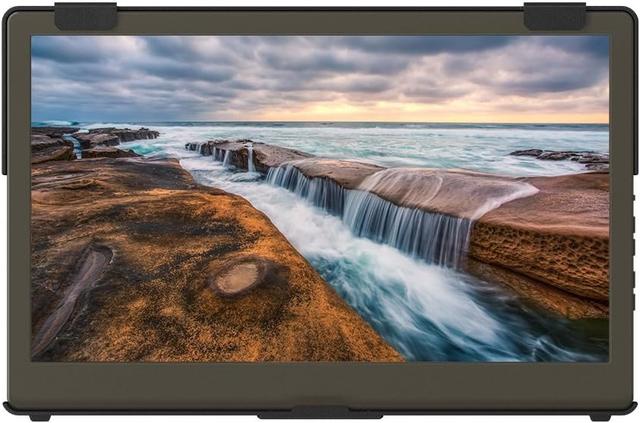
GeChic On-Lap 1305H
Expert rating7.3 / 10
- Screen Size:
- 13.3 in
- Resolution:
- 1920x1080
- Panel Tech:
- IPS
- HDR Support:
- Yes
Consumercarts is reader-supported. Learn more
Disclaimer: The price and specification of the given product may differ from the actual product. Please confirm on the retailer's website before buying.
Manufacturer: GeChic Last updated: 2026-09-12
GeChic On-Lap 1305H Review
The GeChic On-Lap 1305H comes up when people search for a small, driver-free portable monitor that also happens to support HDR input, a rare combination at 13.3 inches.
We like this one for anyone who's been burned by portable monitors that need extra driver installs on some laptops, since GeChic markets this specifically as plug-and-play across Windows, Mac, and even some consoles. It's compact enough to slide next to a 13-inch laptop without dominating a small desk, and easy portrait rotation makes it useful for reading long documents or code.
Driver-Free Compatibility
GeChic's pitch here is straightforward compatibility, plug in USB-C or HDMI and it works without hunting for drivers, which matters more than it sounds for users on locked-down work laptops or older operating systems where driver installs aren't an option.
HDR Input and Portrait Use
HDR support is unusual at this size and price point, though as with most portable monitors it's input-level HDR rather than a true high-brightness HDR experience, don't expect the contrast of an OLED TV. The compact 13.3-inch size and easy 90-degree rotation make it genuinely good for a secondary portrait-mode reading or coding screen.
Comparison to Alternatives
Against the INNOCN 13K1F already in our catalog, both are 13.3-inch portables, but the INNOCN uses OLED for better contrast while the GeChic counters with broader plug-and-play compatibility and HDR input support. Against the Lenovo ThinkVision M14t, the GeChic is smaller and skips touch, trading it for the HDR input feature instead.
Our verdict
Reviewed by Burooj Alam. Rated by us, not by users.
Expert rating7.3 / 10
A small, hassle-free portable monitor that's an easy recommendation for anyone who wants zero driver headaches.
Best for
- Users on locked-down or older laptops needing true plug-and-play
- Anyone wanting an easy portrait-mode secondary display
- Buyers who want a genuinely compact 13.3-inch option
Not for
- Photo or video editors wanting OLED-level contrast
- Users prioritizing maximum screen size
- Gamers or anyone needing above 60Hz
Specifications
What these specs meanIdentity
| Brand | GeChic |
|---|---|
| Model Number | 1305H |
| Series | On-Lap 1305H |
Panel
| Panel Type | IPS |
|---|---|
| Screen Size | 13.3 in |
| Resolution | 1920 x 1080 (Full HD) |
| Aspect Ratio | 16:9 |
Performance
| Refresh Rate | 60 Hz |
|---|---|
| Response Time | 25 ms |
| Adaptive Sync | None |
Features
| HDR Support | Yes |
|---|---|
| Curved | No |
Screen geometry
| Native Resolution | 1920x1080 |
|---|
Stand, mounting and form
| Pivot To Portrait | Yes |
|---|
FAQs
What are the key specifications of the GeChic On-Lap 1305H (13.3-Inch 1080p Portable IPS/60Hz/HDR/USB-C Single Cable)?
Key specs for the GeChic On-Lap 1305H: Resolution 1920 x 1080 (Full HD), Refresh Rate 60 Hz, Panel Type IPS, Response Time 25 ms, HDR Support Yes, HDR10 input support, Aspect Ratio 16:9.
Will the GeChic On-Lap 1305H (13.3-Inch 1080p Portable IPS/60Hz/HDR/USB-C Single Cable) work with my current setup?
The GeChic On-Lap 1305H (13.3-Inch 1080p Portable IPS/60Hz/HDR/USB-C Single Cable) lists Panel Type is IPS. Check that against the hardware you already own before buying, since this is the field that most often decides whether a part fits.
Who is the GeChic On-Lap 1305H (13.3-Inch 1080p Portable IPS/60Hz/HDR/USB-C Single Cable) best suited to?
Best suited to: Users on locked-down or older laptops needing true plug-and-play; Anyone wanting an easy portrait-mode secondary display; Buyers who want a genuinely compact 13.3-inch option.
What are the drawbacks of the GeChic On-Lap 1305H (13.3-Inch 1080p Portable IPS/60Hz/HDR/USB-C Single Cable)?
Not the best fit for: Photo or video editors wanting OLED-level contrast; Users prioritizing maximum screen size; Gamers or anyone needing above 60Hz.
Compare and read more
- AOC I1601FWUX (15.6-Inch 1080p Portable IPS/60Hz/5ms/USB-C Single Cable/Ultra-Slim) vs GeChic On-Lap 1305H (13.3-Inch 1080p Portable IPS/60Hz/HDR/USB-C Single Cable)
- Acer Nitro VG272U (27-Inch QHD IPS/180Hz/1ms VRB/90% DCI-P3/AMD FreeSync Premium Budget Pick) vs GeChic On-Lap 1305H (13.3-Inch 1080p Portable IPS/60Hz/HDR/USB-C Single Cable)
- AOC 27G4X (27-Inch QHD IPS/180Hz/1ms MPRT/Standard Gamut/HDR10/Budget High-Refresh Value) vs GeChic On-Lap 1305H (13.3-Inch 1080p Portable IPS/60Hz/HDR/USB-C Single Cable)
- AOC 16T3 (15.6-Inch 1080p Portable Touchscreen IPS/60Hz/5ms/USB-C Single Cable) vs GeChic On-Lap 1305H (13.3-Inch 1080p Portable IPS/60Hz/HDR/USB-C Single Cable)
- Acer Nitro XV320QU (32-Inch QHD IPS/170Hz/1ms VRB/95%+ DCI-P3/HDR10/KVM Switch) vs GeChic On-Lap 1305H (13.3-Inch 1080p Portable IPS/60Hz/HDR/USB-C Single Cable)
- Do KVM Switches Support 144Hz? What to Check Before You Buy
- Does a KVM Switch Work With Two Different Monitors?