
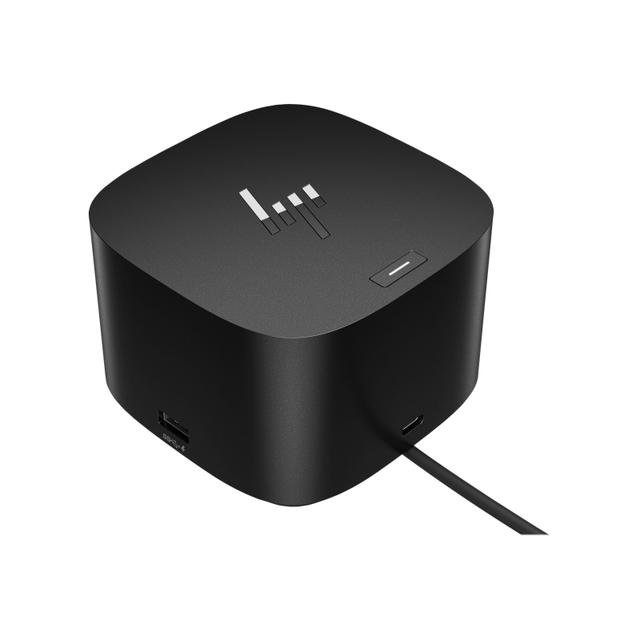
HP Thunderbolt Dock G4
Expert rating7 / 10
- Connection Type:
- Thunderbolt 4
- Max Display Support:
- Up to 4 (host-dependent)
- Power Delivery:
- 120 W
- Ethernet:
- Yes
Consumercarts is reader-supported. Learn more
Disclaimer: The price and specification of the given product may differ from the actual product. Please confirm on the retailer's website before buying.
Manufacturer: HP Last updated: September 10, 2026
Where to buy
- NeweggGo to store
HP Thunderbolt Dock G4 Review
The HP Thunderbolt Dock G4 is an enterprise Thunderbolt 4 docking station with 120W power delivery, HDMI and DisplayPort video, RJ-45 Ethernet, and support for up to four displays depending on the host.
HP's Thunderbolt Dock G4 is squarely an enterprise IT fleet product, the kind of dock that shows up by the hundreds in corporate deployments rather than individually purchased by enthusiasts, but that doesn't make it a bad option for anyone else, it just means you're less likely to see it marketed outside B2B channels. If you're outfitting a home office to match a company-issued HP laptop, or you found one at a good price through a refurb/surplus channel, it's a legitimate Thunderbolt 4 dock with solid multi-display support. The 120W power delivery is enough to charge most business ultrabooks fully through the dock, meaning genuine single-cable docking for laptop, displays, network, and peripherals at once. Specs here are pieced together from retailer listings, HP's own product page was not accessible for direct verification, confirm against HP's official spec sheet before relying on them.
Enterprise Fleet Dock, Consumer-Usable
The dock doesn't require an HP laptop specifically, it's a standard Thunderbolt 4/USB4 device that works with any compatible host. What you're really buying into is HP's enterprise support and driver update model, which tends to be more conservative and stable than consumer dock firmware but slower to add new features.
Comparison to Alternatives
Against our CalDigit TS4, the CalDigit has broader third-party brand recognition and typically more total ports, the HP G4 is more likely to be sourced through a business/IT channel at fleet pricing. Against our Lenovo ThinkPad Universal Thunderbolt 4 Dock, both are enterprise-fleet docks from PC OEMs with similar positioning, pick based on whichever brand's driver/support ecosystem matches your other hardware.
Our verdict
Reviewed by Burooj Alam. Rated by us, not by users.
Expert rating7 / 10
A stable, fleet-grade Thunderbolt 4 dock that's a bargain if you find one through business channels.
Best for
- Home offices standardizing on the same dock as a company-issued HP fleet laptop.
- Buyers who found one through a business surplus/refurb channel at a discount.
Not for
- Anyone wanting the widest possible port selection, dedicated consumer docks often pack in more.
- Buyers who want the newest Thunderbolt features first, enterprise dock firmware tends to move conservatively.
Specifications
What these specs meanIdentity
| Brand | HP |
|---|---|
| Model Number | Thunderbolt Dock G4 |
| Connection Type | Thunderbolt 4 |
| Port Configuration | 1x TB4 downstream, 2x DisplayPort 1.4, 1x HDMI 2.0, 1x rear USB-C DisplayPort, 1x front USB-C 10Gbps (15W), 2x USB-A 10Gbps, 2x USB-A 5Gbps, 2.5GbE RJ45 |
Host connection
| Host Interface | Thunderbolt 4 |
|---|---|
| Thunderbolt Version | 4 |
| Host Cable Length | 0.8 m |
Ports & Power
| Ethernet | Yes |
|---|
Host power
| Host Power Delivery | 100 W |
|---|---|
| External PSU Wattage | 120 W |
| Bus Powered | No |
Display engine
| Max Displays Windows | 4 |
|---|
Display output
| Max Dual Display Resolution | 4K |
|---|---|
| Max Dual Display Refresh | 60 Hz |
Video ports
| HDMI Port Count | 1 |
|---|---|
| HDMI Version | 2.0 |
| DisplayPort Port Count | 2 |
| DisplayPort Version | 1.4 |
| USB-C Video Output Count | 1 |
Data ports
| Downstream Thunderbolt Port Count | 1 |
|---|---|
| USB-A Port Count | 4 |
| USB-C Data Port Count | 1 |
| Max USB Data Rate | 10Gbps |
Downstream power
| Max Downstream USB-C Power | 15 W |
|---|
Network and storage
| Ethernet Speed | 2.5GbE |
|---|
Audio and control
| Security Lock Slot | Yes |
|---|
Compatibility and physical
| macOS Supported | Yes |
|---|---|
| Windows Supported | Yes |
| ChromeOS Supported | Yes |
| Weight | 762 g |
FAQs
What are the key specifications of the HP Thunderbolt Dock G4 (Thunderbolt 4 / 120W Power Delivery / Up to 4 Displays / HDMI + DisplayPort / RJ-45 Ethernet)?
Key specs for the HP Thunderbolt Dock G4: Power Delivery 100 W, Host Power Delivery 100 W, Ethernet Yes, Ethernet Speed 2.5GbE, Interface Thunderbolt 4, Display Support Up to 4 (host-dependent).
Will the HP Thunderbolt Dock G4 (Thunderbolt 4 / 120W Power Delivery / Up to 4 Displays / HDMI + DisplayPort / RJ-45 Ethernet) work with my current setup?
The HP Thunderbolt Dock G4 (Thunderbolt 4 / 120W Power Delivery / Up to 4 Displays / HDMI + DisplayPort / RJ-45 Ethernet) lists Interface is Thunderbolt 4. Check that against the hardware you already own before buying, since this is the field that most often decides whether a part fits.
Who is the HP Thunderbolt Dock G4 (Thunderbolt 4 / 120W Power Delivery / Up to 4 Displays / HDMI + DisplayPort / RJ-45 Ethernet) best suited to?
Best suited to: Home offices standardizing on the same dock as a company-issued HP fleet laptop; Buyers who found one through a business surplus/refurb channel at a discount.
What are the drawbacks of the HP Thunderbolt Dock G4 (Thunderbolt 4 / 120W Power Delivery / Up to 4 Displays / HDMI + DisplayPort / RJ-45 Ethernet)?
Not the best fit for: Anyone wanting the widest possible port selection, dedicated consumer docks often pack in more; Buyers who want the newest Thunderbolt features first, enterprise dock firmware tends to move conservatively.
Compare and read more
- HP Thunderbolt Dock G4 (Thunderbolt 4 / 120W Power Delivery / Up to 4 Displays / HDMI + DisplayPort / RJ-45 Ethernet) vs Kensington SD1620P (USB-C / 6 Ports / 100W Pass-Through / Dual 4K@60Hz Portable / Windows/Mac/Chrome)
- HP Thunderbolt Dock G4 (Thunderbolt 4 / 120W Power Delivery / Up to 4 Displays / HDMI + DisplayPort / RJ-45 Ethernet) vs Satechi USB4 Pro Hub (USB4 / 8 Ports / 96W Pass-Through Charging / Dual 4K@60Hz / Mac/Windows)
- Anker 575 USB-C Docking Station (13-in-1, 85W Pass-Through, Dual Display) vs HP Thunderbolt Dock G4 (Thunderbolt 4 / 120W Power Delivery / Up to 4 Displays / HDMI + DisplayPort / RJ-45 Ethernet)
- ATEN UH3238 USB-C Dual Monitor Dock (USB-C / 7 Ports / 90W Host Charging / Dual 4K@60Hz / Fanless with KVM Switching / Windows/Mac) vs HP Thunderbolt Dock G4 (Thunderbolt 4 / 120W Power Delivery / Up to 4 Displays / HDMI + DisplayPort / RJ-45 Ethernet)
- Dell Universal Dock UD22 (USB-C / 10 Ports / 90W Host Charging / Triple 4K@60Hz / Windows/Mac/Chrome) vs HP Thunderbolt Dock G4 (Thunderbolt 4 / 120W Power Delivery / Up to 4 Displays / HDMI + DisplayPort / RJ-45 Ethernet)
- Docking Station Power Delivery Explained: What the Wattage Actually Means
- Why Your Docking Station Only Shows One External Display on a MacBook