
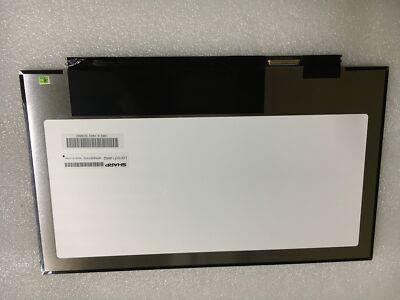
Laptops compatible with LQ133T1JW02
No laptops confirmed for LQ133T1JW02 yet.
Consumercarts is reader-supported. Learn more
Disclaimer: The price and specification of the given product may differ from the actual product. Please confirm on the retailer's website before buying.
Manufacturer: Sharp Last updated: 2026-10-10
Sharp LQ133T1JW02 Review
Sharp LQ133T1JW02 13.3-inch QHD IGZO replacement laptop screen, 2560x1440, 40-pin eDP, matte finish.
A second distinct 13.3" QHD Sharp revision alongside the existing LQ133T1JW01, with a 40-pin eDP interface (vs the -01's different pin count) and 350 nits typical brightness.
Compatibility
LQ133T1JW01 and LQ133T1JW02 are separate part numbers with different connector configurations, check your original panel's exact suffix before ordering.
Our verdict
Reviewed by Burooj Alam. Rated by us, not by users.
Best for
- Exact-match replacement for laptops originally fitted with the Sharp LQ133T1JW02 panel
Not for
- Laptops using the LQ133T1JW01 30-pin variant
Specifications
What these specs meanIdentity
| Panel Part Number | LQ133T1JW02 |
|---|---|
| Manufacturer | Sharp |
| Equivalence Set | p133-qhd-sharp-lq133t1jw02 |
Panel
| Screen Size | 13.3 in |
|---|---|
| Resolution | 2560x1440 |
| Panel Type | IGZO |
| Refresh Rate | 60 Hz |
| Brightness | 350 nits |
| Surface | Matte |
| Colour Gamut | 72% (CIE1931) |
Fitment
| Touchscreen | No |
|---|---|
| Connector Pins | 40 |
Electrical
| Backlight | WLED |
|---|
FAQs
What are the specs of the LQ133T1JW02 screen?
The LQ133T1JW02 is a 13.3-inch, 2560x1440, IGZO, 60 Hz, 40-pin connector, matte surface, 350 nits, 72% (CIE1931) colour gamut non-touch panel.
How many pins does the LQ133T1JW02 connector have?
It uses a 40-pin connector. The pin count has to match your laptop's display cable, so a 30-pin panel of the same size and resolution will not plug in.
Is the LQ133T1JW02 a touch screen?
No, it is a non-touch panel. Fitting it to a touch model removes touch input.
Compare and read more
- BOE NE133QDM-N65 (13.3-inch WQXGA IPS Laptop Replacement Screen/2560x1600/60Hz/40-pin/Non-Touch/Glossy) vs Sharp LQ133T1JW02 (13.3-inch QHD IGZO Laptop Replacement Screen/2560x1440/40-pin eDP/Non-Touch/Matte)
- Chi Mei N133BGE-EAB (13.3-inch HD TN Laptop Replacement Screen/1366x768/30-pin eDP/Non-Touch/Matte) vs Sharp LQ133T1JW02 (13.3-inch QHD IGZO Laptop Replacement Screen/2560x1440/40-pin eDP/Non-Touch/Matte)
- CSOT MND307DA1-8 (13.3-inch WQXGA LTPS Laptop Replacement Screen/2560x1600/60Hz/40-pin/Non-Touch/Matte) vs Sharp LQ133T1JW02 (13.3-inch QHD IGZO Laptop Replacement Screen/2560x1440/40-pin eDP/Non-Touch/Matte)
- Panda LM133LF1L02 (13.3-inch FHD Laptop Replacement Screen/1920x1080/40-pin/Non-Touch/Matte) vs Sharp LQ133T1JW02 (13.3-inch QHD IGZO Laptop Replacement Screen/2560x1440/40-pin eDP/Non-Touch/Matte)
- Sharp LQ133M1JW15 (13.3-inch FHD IGZO Laptop Replacement Screen/1920x1080/30-pin eDP/Non-Touch/Matte) vs Sharp LQ133T1JW02 (13.3-inch QHD IGZO Laptop Replacement Screen/2560x1440/40-pin eDP/Non-Touch/Matte)
- Can You Upgrade Your Laptop Screen? TN to IPS, 1080p, and Higher Refresh
- Laptop Buying Guide 2026: What To Look For Before You Buy