
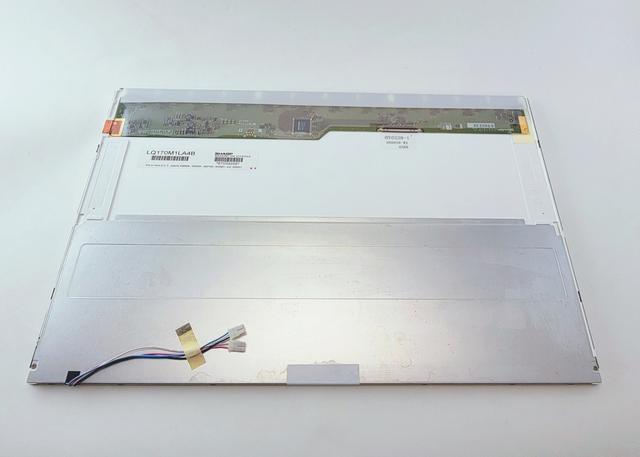
Laptops compatible with LQ170M1LA4B
No laptops confirmed for LQ170M1LA4B yet.
Consumercarts is reader-supported. Learn more
Disclaimer: The price and specification of the given product may differ from the actual product. Please confirm on the retailer's website before buying.
Manufacturer: Sharp Last updated: 2026-10-10
Sharp LQ170M1LA4B Review
Sharp LQ170M1LA4B 17.0-inch WUXGA TN replacement laptop screen, 1920x1200, 30-pin LVDS, glossy anti-reflective finish, CCFL backlight.
A legacy 17" WUXGA TN panel from Sharp, first true 17.0" (non-17.3") coverage in the catalog. 30-pin LVDS connector, CCFL backlight (2 lamps, 12,000-hour rated life), glossy anti-reflective coating.
Compatibility
This is a CCFL-backlit legacy panel, confirm your laptop uses a CCFL inverter board, not a direct LED driver, before ordering. 17.0" is a distinct physical size from the more common 17.3".
Our verdict
Reviewed by Burooj Alam. Rated by us, not by users.
Best for
- Older 17.0" desktop-replacement laptops with a CCFL-backlit WUXGA panel
Not for
- Laptops with a 17.3" chassis or LED-backlit panel driver
Specifications
What these specs meanIdentity
| Panel Part Number | LQ170M1LA4B |
|---|---|
| Manufacturer | Sharp |
| Equivalence Set | p170-wuxga-sharp-lq170m1la4b |
Panel
| Screen Size | 17 in |
|---|---|
| Resolution | 1920x1200 |
| Panel Type | TN |
| Refresh Rate | 60 Hz |
| Brightness | 340 nits |
| Surface | Glossy |
| Colour Gamut | 262k colors, 72% (CIE1931) |
Fitment
| Touchscreen | No |
|---|---|
| Connector Pins | 30 |
Electrical
| Backlight | LED |
|---|
FAQs
What are the specs of the LQ170M1LA4B screen?
The LQ170M1LA4B is a 17-inch, 1920x1200, TN, 60 Hz, 30-pin connector, glossy surface, 340 nits, 262k colors, 72% (CIE1931) colour gamut non-touch panel.
How many pins does the LQ170M1LA4B connector have?
It uses a 30-pin connector. The pin count has to match your laptop's display cable, so a 40-pin panel of the same size and resolution will not plug in.
Is the LQ170M1LA4B a touch screen?
No, it is a non-touch panel. Fitting it to a touch model removes touch input.