
Search "KVM switch price comparison" and you get a list that runs from $13 to $12,098. It looks like a quality ladder. It is not. It is five different products wearing the same name, and the expensive end is often worse at the thing a desk user cares about.
We checked this against our own catalogue: 483 published KVM switches, 419 with a price, 397 with a capability score. Here is what the numbers say.
The paradox: 4K refresh rate falls as price rises
Group every priced switch by segment and the pattern is backwards from what you would expect.
A $2,601 median KVM over IP appliance averages 4K at 45Hz. A desk switch at a $300 median averages 67Hz. Several desk switches under $60 do 4K at 144Hz or 240Hz.
That is not a defect in the expensive hardware. It is a different job.
Inside one segment, price predicts almost nothing
The segment mix explains part of the pattern, so we controlled for it. Across all 355 switches that have both a price and a capability score, the correlation between the two is 0.424. Moderate, and entirely driven by segment.
Restrict it to desk switches alone and the correlation is -0.076. That is statistical noise. Paying more for a desk KVM does not buy a better desk KVM.
The tails make the point:
- 27 desk switches priced above $500 score below 5 out of 10 on capability
- 5 desk switches priced under $100 score 6 or above
What each price band actually buys
Sort all 419 priced switches into bands and score each band on our 0 to 10 capability score. The ladder people expect is not there.
| Price band | Models | Average capability | Best in band | 4K or higher | Most ports |
|---|---|---|---|---|---|
| Under $25 | 3 | 3.8 | 4.0 | 0 | 2 |
| $25 to $50 | 15 | 4.4 | 6.7 | 4 | 2 |
| $50 to $100 | 30 | 5.1 | 7.1 | 17 | 4 |
| $100 to $200 | 45 | 5.4 | 8.3 | 37 | 4 |
| $200 to $500 | 102 | 5.2 | 8.0 | 70 | 8 |
| $500 to $1,500 | 150 | 5.6 | 8.2 | 74 | 16 |
| Over $1,500 | 74 | 6.6 | 8.6 | 31 | 64 |
From $50 to $1,500 the average capability score moves from 5.1 to 5.6. Thirty times the money for half a point. The $200 to $500 band actually scores lower than the $100 to $200 band below it.
The column that does move is the last one. Ports go from 2 to 4 to 16 to 64. That is what the money buys: more machines behind one console, not a better experience at any one of them.
The single sharpest example in the catalogue: the CKL 922HUA-5 costs $115 and scores 8.3. The Raritan Dominion KX III DKX3-464 costs $12,098 and scores 8.3. The Raritan puts 64 servers behind four remote users across a network. The CKL puts two computers on your desk at 8K 60Hz or 4K 144Hz. Neither is overpriced. They are answers to different questions, and a price-sorted list hides that completely.
What each segment is actually for
Desk switches are what almost every consumer search is really about. Two computers, one monitor, one keyboard and mouse. This segment has the best video specs in the entire catalogue because the buyers are gamers and developers who notice a dropped refresh rate.
Rack switches put 8 to 16 servers behind one console in a cabinet. Video is usually 1080p or 4K at 30Hz, because nobody games on a rack console.
Secure switches isolate machines on networks that must not touch each other. 61 of the 64 we list carry a formal security certification. Video tops out low on purpose: fewer features means fewer ways to leak data between channels.
Extenders move the console away from the machine, sometimes hundreds of metres. You are paying for distance.
KVM over IP gets you to a server that will not boot, from another continent. The median is $2,601 and the video is frequently 1600x1200, because you are looking at a BIOS screen, not a game.
The comparison that actually matters
Put a cheap desk switch next to an expensive appliance and the gap is obvious once you know what you are looking at.
| Product | Segment | Price | Max 4K refresh |
|---|---|---|---|
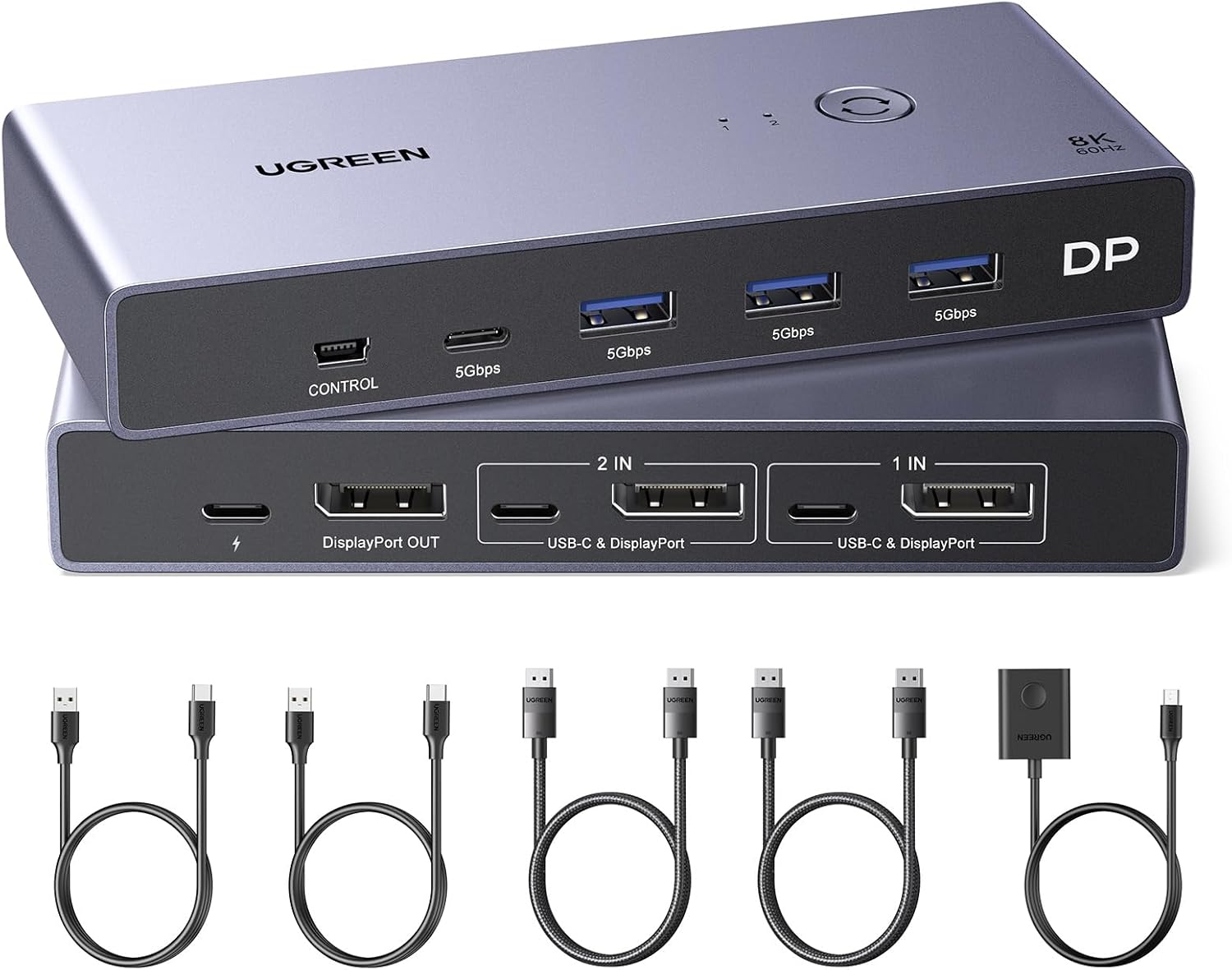
| UGREEN DisplayPort KVM 2-in-1-out | Desk | $79.97 | 240 Hz |
| Cable Matters 201352 USB-C | Desk | $53.99 | 144 Hz |
| ATEN CS1182DP4 Secure | Secure | $423.92 | 1920x1200 only |
| Adder AdderLink IPEPS | KVM over IP | $599.40 | 1600x1200 only |
The $54 switch carries 4K at 144Hz. The $599 appliance maxes out at a resolution that predates widescreen. Both are correctly priced for their jobs.
How to actually compare prices
Filter by segment first, then by price. In that order. Sorting a mixed list by price tells you nothing, because you are comparing a gaming switch to a data centre appliance.
For a desk setup, three specs decide it and price is not one of them:
- Interface version, not resolution. HDMI 2.0 tops out around 14.4 Gbit/s, which will not carry 1440p at 144Hz. Check the version, not the "4K" badge. Our guide on whether KVM switches support 144Hz has the bandwidth maths.
- EDID emulation. Without it, both machines lose the monitor every time you switch, and your windows rearrange. Only 140 of our 483 listings state it either way, which tells you how many sellers hope you will not ask.
- Number of displays. A dual-monitor setup needs a dual-head switch, and that is a different product from two single-head ones. See whether a KVM works with two different monitors.
Then compare prices inside that shortlist. Our KVM switch price comparison lets you filter by segment, video standard and EDID before you look at a single price, across all 483 models from 41 brands.
If you would rather skip the filtering, our picks are in the best KVM switches guide, and the two-machine desk case is covered in the two-PC battlestation guide.
The short version
Price sorts KVM switches by market segment, not by how good they are. Inside the desk segment, where nearly every consumer actually shops, the relationship between price and capability is statistically zero. Work out which segment you need, then buy the cheapest thing in it that has the interface version and EDID emulation you need.