
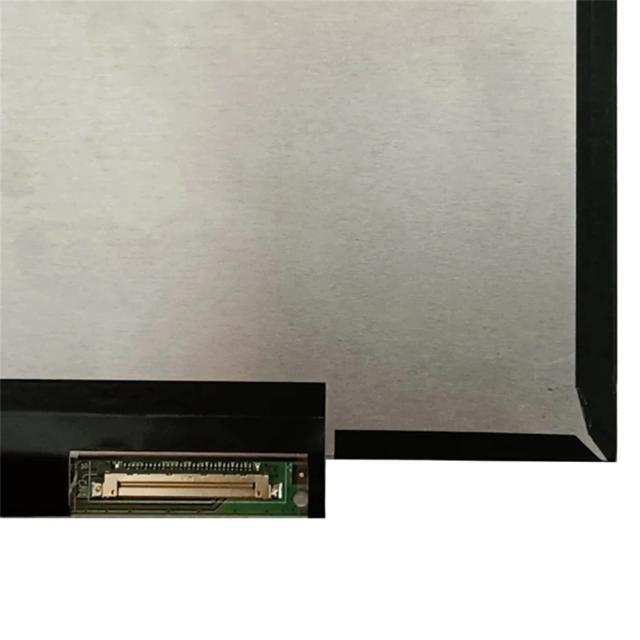
BOE NE140WUM-N63 V8.0
- Screen Size:
- 14.0 in
- Resolution:
- 1920x1200
- Panel Type:
- IPS
Laptops compatible with NE140WUM-N63 V8.0
No laptops confirmed for NE140WUM-N63 V8.0 yet.
Consumercarts is reader-supported. Learn more
Disclaimer: The price and specification of the given product may differ from the actual product. Please confirm on the retailer's website before buying.
Manufacturer: BOE Last updated: 2026-10-08
Where to buy
- NeweggGo to store
BOE NE140WUM-N63 V8.0 Review
BOE NE140WUM-N63 V8.0 14-inch WUXGA (1920x1200) IPS replacement laptop screen, 30-pin eDP, 95% sRGB, non-touch, a distinct revision from the existing NE140WUM-N62 panel already in the catalog.
A 16:10 WUXGA panel from BOE with 95% sRGB coverage, sold as a direct replacement via LPScreen, LaptopScreen.com and eBay. Distinct part revision (-N63) from BOE's existing -N62 WUXGA panel already in this catalog, not a drop-in substitute without checking equivalence.
Compatibility
30-pin eDP connector, 14.0" diagonal, 1920x1200 resolution. Confirm the exact revision suffix (V8.0) matches your original panel before ordering.
Our verdict
Reviewed by Burooj Alam. Rated by us, not by users.
Best for
- 16:10 productivity laptops
- Color-accurate work at 95% sRGB
Not for
- High-refresh gaming
Specifications
What these specs meanIdentity
| Panel Part Number | NE140WUM-N63 V8.0 |
|---|---|
| Manufacturer | BOE |
| Equivalence Set | p140-wuxga-boe-ne140wum-n63 |
Panel
| Screen Size | 14.0 in |
|---|---|
| Resolution | 1920x1200 |
| Panel Type | IPS |
| Colour Gamut | 95% sRGB |
Fitment
| Touchscreen | No |
|---|---|
| Connector Pins | 30 |
FAQs
What size and resolution is the BOE NE140WUM-N63?
It is a 14.0 inch panel with a 1920x1200 resolution.
What panel type and color coverage does the NE140WUM-N63 have?
It is an IPS panel with 95% sRGB coverage.
Is the NE140WUM-N63 a touchscreen?
No, it is non-touch.
What connector does the NE140WUM-N63 use?
It uses a 30-pin connector. The panel part number is NE140WUM-N63 V8.0.
Compare and read more
- BOE NE140WUM-N63 V8.0 (14-inch WUXGA IPS Laptop Replacement Screen/1920x1200/30-pin eDP/Non-Touch/95% sRGB) vs Chi Mei N140BGE-L22 (14.0-inch HD TN Laptop Replacement Screen/1366x768/40-pin/Non-Touch/Glossy)
- BOE NE140WUM-N63 V8.0 (14-inch WUXGA IPS Laptop Replacement Screen/1920x1200/30-pin eDP/Non-Touch/95% sRGB) vs Panda LM140LF1F-01 (14.0-inch FHD Laptop Replacement Screen/1920x1080/120Hz/40-pin/Non-Touch)
- BOE NE140WUM-N63 V8.0 (14-inch WUXGA IPS Laptop Replacement Screen/1920x1200/30-pin eDP/Non-Touch/95% sRGB) vs Panda LM140LF3L03 (14.0-inch FHD IPS Laptop Replacement Screen/1920x1080/30-pin/Non-Touch/Matte)
- BOE NE140WUM-N63 V8.0 (14-inch WUXGA IPS Laptop Replacement Screen/1920x1200/30-pin eDP/Non-Touch/95% sRGB) vs Panda LM140LF5L-01 (14.0-inch FHD IPS Laptop Replacement Screen/1920x1080/60Hz/30-pin/Non-Touch/Matte)
- BOE NE140WUM-N63 V8.0 (14-inch WUXGA IPS Laptop Replacement Screen/1920x1200/30-pin eDP/Non-Touch/95% sRGB) vs Tianma TL140BDXP01-00 (14.0-inch WQHD IPS Laptop Replacement Screen/2560x1440/120Hz/40-pin/Non-Touch)
- Panel, Backlight, Cable or GPU? How to Diagnose a Dead Laptop Screen
- How to Find the Right Replacement Screen for Your Laptop