
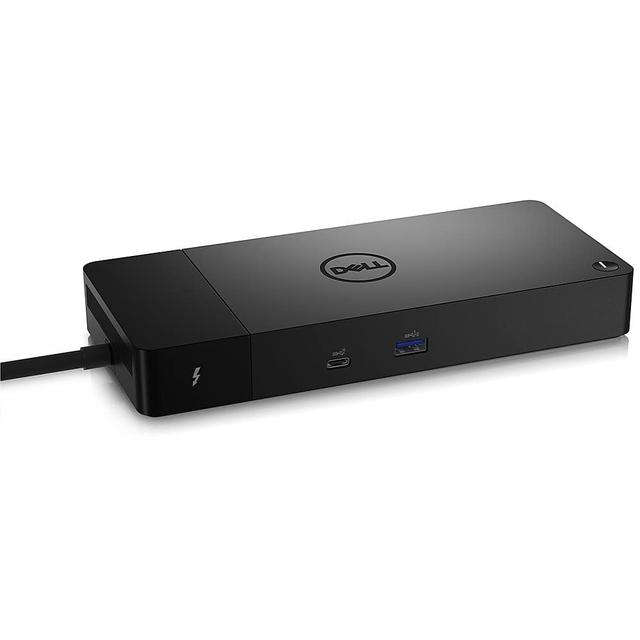
Dell WD22TB4
Expert rating8 / 10
- Connection Type:
- Thunderbolt 4
- Port Configuration:
- 2x Thunderbolt 4, 2x DisplayPort 1.4, HDMI 2.0, USB-C DP, USB-A, Gigabit Ethernet
- Max Display Support:
- Up to 4 displays
- Power Delivery:
- 130 W
- Ethernet:
- Yes
Consumercarts is reader-supported. Learn more
Disclaimer: The price and specification of the given product may differ from the actual product. Please confirm on the retailer's website before buying.
Manufacturer: Dell Last updated: September 10, 2026
Where to buy
- NeweggGo to store
Dell WD22TB4 Review
The Dell WD22TB4 is a Thunderbolt 4 docking station supporting up to four external displays through Thunderbolt, DisplayPort 1.4 and HDMI 2.0, with 130W power delivery to Dell systems, 90W to others, and Gigabit Ethernet.
Dell's WD22TB4 is the enterprise-fleet answer to the dock question, built for IT departments standardizing across a mix of Dell and non-Dell laptops, with four-display support that goes beyond what most single-user docks in our catalog offer.
Four Displays Is the Headline Feature
Most docks in our lineup top out at two or three displays, the WD22TB4's four-display support via its mix of Thunderbolt, DisplayPort, and HDMI outputs makes it the pick for genuinely display-heavy trading desk or analyst-style setups.
Built for Mixed Dell and Non-Dell Fleets
130W to Dell systems and 90W to everything else isn't a limitation, it's a deliberate design choice for IT environments where the same dock needs to serve laptops from multiple vendors without buying different docks for each.
Comparison to Alternatives
Against our own CalDigit TS4, the TS4 is the better single-user, cross-platform pick with simpler setup, the WD22TB4 is built specifically for four-display fleet deployments and Dell-optimized charging. Against Kensington's SD5000T5 EQ, also new here, the Kensington pushes higher power delivery and Thunderbolt 5 speeds, the WD22TB4 counters with more total displays supported.
Our verdict
Reviewed by Burooj Alam. Rated by us, not by users.
Expert rating8 / 10
A fleet-focused Thunderbolt 4 dock whose four-display support outruns most single-user alternatives.
Best for
- IT fleet deployments across mixed Dell and non-Dell laptops needing four-display support.
Not for
- Users on Thunderbolt 5 hardware wanting to use its full bandwidth, this tops out at Thunderbolt 4 speeds.
Specifications
What these specs meanIdentity
| Brand | Dell |
|---|---|
| Model Number | WD22TB4 |
| Connection Type | Thunderbolt 4 / USB-C DisplayPort Alt Mode |
| Port Configuration | 2x Thunderbolt 4 downstream, 2x DisplayPort 1.4, 1x HDMI 2.0, 1x USB-C 10Gbps with DP 1.4 Alt Mode, 1x USB-C 10Gbps, 3x USB-A 5Gbps, Gigabit Ethernet |
| Max Display Support | Up to 4 external displays |
Host connection
| Host Interface | Thunderbolt 4 |
|---|---|
| Thunderbolt Version | 4 |
| Host Cable Length | 0.8 m |
Ports & Power
| Ethernet | Yes |
|---|
Host power
| Host Power Delivery | 90 W |
|---|---|
| Host Power Delivery Alt | 130 W |
| External PSU Wattage | 180 W |
| Bus Powered | No |
Display engine
| Max Displays Windows | 4 |
|---|
Video ports
| HDMI Port Count | 1 |
|---|---|
| HDMI Version | 2.0 |
| DisplayPort Port Count | 2 |
| DisplayPort Version | 1.4 |
| USB-C Video Output Count | 1 |
Data ports
| Downstream Thunderbolt Port Count | 2 |
|---|---|
| USB-A Port Count | 3 |
| USB-C Data Port Count | 2 |
| Max USB Data Rate | 10Gbps |
Network and storage
| Ethernet Speed | 1GbE |
|---|
Compatibility and physical
| Windows Supported | Yes |
|---|---|
| ChromeOS Supported | Yes |
| Weight | 650 g |
FAQs
What are the key specifications of the Dell WD22TB4 (Thunderbolt 4 / 130W Power Delivery on Dell Systems / Quad Display / Gigabit Ethernet)?
Key specs for the Dell WD22TB4: Power Delivery 90 W, Host Power Delivery 90 W, Host Power Delivery Alt 130 W, Ethernet Yes, Ethernet Speed 1GbE, Connection Type Thunderbolt 4 / USB-C DisplayPort Alt Mode.
Who is the Dell WD22TB4 (Thunderbolt 4 / 130W Power Delivery on Dell Systems / Quad Display / Gigabit Ethernet) best suited to?
Best suited to: IT fleet deployments across mixed Dell and non-Dell laptops needing four-display support.
What are the drawbacks of the Dell WD22TB4 (Thunderbolt 4 / 130W Power Delivery on Dell Systems / Quad Display / Gigabit Ethernet)?
Not the best fit for: Users on Thunderbolt 5 hardware wanting to use its full bandwidth, this tops out at Thunderbolt 4 speeds.
Compare and read more
- Anker 777 Thunderbolt Docking Station (Apex, 12-in-1 / Triple 4K / Single 8K / Dual HDMI) vs Dell WD22TB4 (Thunderbolt 4 / 130W Power Delivery on Dell Systems / Quad Display / Gigabit Ethernet)
- Dell WD22TB4 (Thunderbolt 4 / 130W Power Delivery on Dell Systems / Quad Display / Gigabit Ethernet) vs OWC Thunderbolt Dock (Thunderbolt 4 / 11 Ports / 96W Host Charging / Dual 4K@60Hz / Mac/Windows)
- Anker 555 8-in-1 Hub (USB-C / 8 Ports / Single External Monitor / Ethernet / Best Value) vs Dell WD22TB4 (Thunderbolt 4 / 130W Power Delivery on Dell Systems / Quad Display / Gigabit Ethernet)
- Anker Prime 14-in-2 Docking Station (Thunderbolt 4/USB4 / 14 Ports + Built-In Charger / 140W Host Charging / Dual 4K@60Hz / Mac/Windows) vs Dell WD22TB4 (Thunderbolt 4 / 130W Power Delivery on Dell Systems / Quad Display / Gigabit Ethernet)
- Belkin Thunderbolt 4 Dock Pro (12 Ports / 90W Upstream + 15W Downstream TB4 / Dual HDMI 2.0 / 8K30 or Dual 4K60 / Gigabit Ethernet) vs Dell WD22TB4 (Thunderbolt 4 / 130W Power Delivery on Dell Systems / Quad Display / Gigabit Ethernet)
- Docking Station Power Delivery Explained: What the Wattage Actually Means