Consumercarts

Hardware finder

Compare Gaming Mice

Compare gaming mice by connectivity, shape, sensor and weight.

Updated October 9, 2026

92 gaming mice from 23 brands. Prices from $30.00 to $150.00.

Consumercarts is reader-supported. Learn more

What these specs mean

Showing 92 Gaming Mice found

About Gaming Mice

Compare gaming mice by connectivity, shape, sensor and weight.

Mice listed by sensor, weight, dimensions, shape profile and recommended grip, polling rate wired and wireless, switch type and battery life.

Weight and shape decide comfort more than sensor specification does. Every current flagship sensor is beyond what a human can outpace.

Grip style, not DPI, decides your next mouse covers which shapes suit palm, claw and fingertip holds, and why the spec everyone quotes stopped mattering years ago. Popular comparisons: Glorious Model O 2 Pro vs Pulsar X2 and Fantech Aria XD7 vs Razer DeathAdder V3 HyperSpeed.

Guides for Gaming Mice

Popular comparisons

Guides

How to choose a gaming mouse

Shape and weight decide comfort. Sensor specification does not decide anything any more, because every current flagship sensor tracks faster than a human hand can move.

Grip style comes first

Palm grip suits a longer, higher mouse that fills the hand. Claw grip suits a shorter body with a pronounced hump. Fingertip suits small, flat, light shapes. Buying a shape that fights your grip causes strain no specification fixes.

Measure your hand

Length from wrist crease to middle fingertip, and palm width. Compare those against the mouse's length, width and height. This is a better predictor of comfort than any review.

Weight

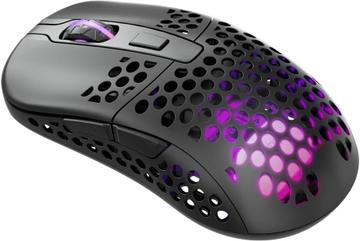
Under 60g is very light and suits fast, low sensitivity play. 80 to 100g is normal. Above 110g is noticeable during long sessions. Holed shells save weight, collect dust, and change how the shell flexes.

Wireless is solved

Current 2.4GHz wireless is indistinguishable from wired in latency. Bluetooth is not, and is for travel rather than play. Check battery life at the polling rate you intend to use, because 8,000Hz polling drains a battery several times faster than 1,000Hz.

Switches and feel

Optical switches avoid the double click failure that plagues mechanical ones as they age. Click weight and travel are preference. Scroll wheel feel is rarely described and is the part people complain about later.

Common mistakes

  • Choosing on DPI. Almost everyone plays between 400 and 1600.
  • Buying a very light mouse for palm grip, where the lack of mass makes control worse.
  • Ignoring the cable on a wired mouse. A stiff cable undoes a good sensor.

FAQs

Does DPI matter?

Barely. Almost everyone plays between 400 and 1600 DPI. Tracking speed, consistency and weight matter far more than a high maximum DPI figure.

Is 8000Hz polling worth it?

The latency difference against 1000Hz is small and it costs battery life and CPU overhead. It matters at a competitive level and not much below that.

How do I pick the right shape?

Match it to your grip and hand size. Palm grip suits larger ergonomic shapes, claw and fingertip suit smaller and flatter ones. Both are listed on every product.

Are optical switches better than mechanical?

They avoid double-click failure from contact wear and actuate slightly faster. Mechanical switches feel more tactile to many people, so it is partly preference.